I have been doing SEO for over five years now. In that time, I have audited hundreds of websites, and one thing never changes: meta titles and descriptions are almost always the most neglected part of on-page SEO.
Most site owners write something quick, hit publish, and never look at it again. I get it. It feels like a minor detail when there is so much else to do. But in my experience, a poorly written meta title is quietly costing you clicks every single day. No alarm goes off. No warning shows up in Search Console. The traffic just does not come, and most people never connect it back to a 65-character title that gets cut off mid-sentence in the SERP.
When I started using Claude AI for meta tag work, my first attempts were pretty underwhelming. I was using the same lazy prompts everyone uses. “Write a meta title for my page about X.” The output was fine. Not bad. Just forgettable. Then I started building better prompts, ones with real context baked in, and the quality jumped noticeably.
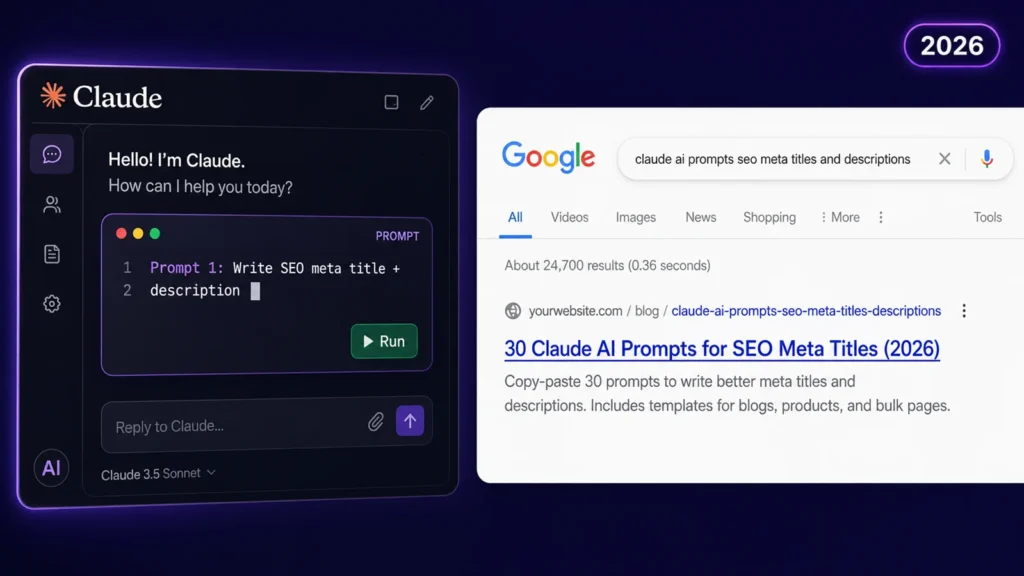
Below are 30 prompts I have refined over time. Some I use daily. Some are for specific situations like bulk rewrites or CTR recovery. All of them are ready to copy and paste.
One quick refresher before you dive in. Meta titles should stay between 50 and 60 characters. Google measures by pixel width (under 600px), but character count is a reliable enough proxy. Meta descriptions work best at 140 to 160 characters. Google rewrites them about 60 to 70 percent of the time, but a well-matched description has a much better chance of surviving than a vague one.
30 Claude AI Prompts for Writing SEO Meta Tags
For Blog Posts
Prompt 1: Standard blog post meta tags
Write an SEO meta title and meta description for a blog post.

Topic: [blog post topic]
Target keyword: [primary keyword]
Audience: [who is reading this]
Main takeaway: [what does the reader gain?]

Meta title: under 60 characters, keyword near the front
Meta description: 140–160 characters, include keyword, end with a benefit

Give me 3 options for each.
Prompt 2: How-to blog post
Write 3 meta title options and 3 meta description options for a how-to blog post.

Topic: [topic]
Target keyword: [keyword]
The reader wants to: [describe the goal they are trying to achieve]

Use "How to" at the start of the title. Keep it under 60 characters.
Meta descriptions should be 140–160 characters and mention what the reader will learn.
Prompt 3: Listicle blog post
Write meta tags for a listicle blog post.

Post title: [working title of your post]
Number of items: [e.g. 10, 15, 25]
Target keyword: [keyword]
Tone: [informational / conversational / authoritative]

Include the number in the meta title. Keep it under 60 characters.
Meta description: 140–160 characters, mention what is covered and for whom.
Prompt 4: Opinion or thought leadership post
Write meta tags for an opinion-based blog post.

Topic and stance: [what is the post arguing or claiming?]
Target keyword: [keyword]
Audience: [who should read this]

The title should feel bold and confident, not generic. Under 60 characters.
Description should hint at the argument and create curiosity. 140–160 characters.
Give 3 options for each.
Prompt 5: Beginner’s guide post
Write an SEO meta title and description for a beginner's guide.

Guide topic: [topic]
Target keyword: [keyword]
The reader has no prior knowledge of: [specific thing they are new to]

Title should signal this is beginner-friendly without being condescending. Under 60 characters.
Description should reassure the reader and state what they will understand by the end. 140–160 characters.
Prompt 6: Comparison post
Write meta tags for a comparison blog post.

Comparing: [Option A] vs [Option B]
Target keyword: [keyword, e.g. "X vs Y"]
Reader's main question: [what are they trying to decide?]

Title: include both names if they fit under 60 characters, otherwise use the keyword phrase
Description: 140–160 characters, hint at which is better or for whom, avoid spoiling the conclusion
3 options for each.
Prompt 7: Case study post
Write meta tags for a case study blog post.

Topic: [what was achieved or solved]
Target keyword: [keyword]
Key result or stat: [one impressive number or outcome from the case study]

Include the result in the description if it fits. Title under 60 characters, description 140–160 characters.
Prompt 8: Updated or refreshed post
I am updating an old blog post and need new meta tags that signal the content is fresh.

Topic: [topic]
Target keyword: [keyword]
Year: 2026

Include the year in the title. Title under 60 characters, description 140–160 characters.
Mention that the guide is updated or current in the description. 3 options for each.
For Product and Service Pages
Prompt 9: Product page
Write meta tags for a product page.

Product name: [name]
Primary keyword: [keyword]
Key benefit: [what does this solve or give the user?]
Price or offer: [free / starting at X / custom pricing]
Target customer: [who buys this?]

Title: under 60 characters, keyword near the front, benefit implied
Description: 140–160 characters, include keyword, state the benefit, end with a CTA (e.g. "Start free", "Try it today", "Get yours now")
3 versions of each.
Prompt 10: Service page
Write SEO meta tags for a service page.

Service: [what you offer]
Target keyword: [keyword]
Who it is for: [describe your ideal client]
Main outcome: [what does the client get after hiring you?]

Title: under 60 characters, keyword first or second
Description: 140–160 characters, speak directly to the client, include a soft CTA
3 options for each.
Prompt 11: Pricing page
Write meta tags for a pricing page.

Product/service: [name]
Keyword: [e.g. "X pricing" or "how much does X cost"]
What makes your pricing stand out: [flexible plans / no contracts / free tier / etc.]

Title: include the word "Pricing" and the product name, under 60 characters
Description: 140–160 characters, mention the value and make it easy to click through
3 options.
Prompt 12: Free tool or calculator page
Write meta tags for a free online tool page.

Tool name: [name]
What it does: [one sentence]
Target keyword: [keyword]

Emphasise that it is free in the title or description.
Title: under 60 characters
Description: 140–160 characters, explain what the user can do with the tool and that no signup is needed
3 options for each.
Prompt 13: Category or collection page
Write meta tags for a category page.

Category name: [name]
What it contains: [brief description, e.g. "50+ SEO tools for marketers"]
Target keyword: [keyword]

Title: under 60 characters, include the category keyword
Description: 140–160 characters, mention the breadth and who it helps
3 options for each.
For Local and eCommerce Pages
Prompt 14: Local business service page
Write meta tags for a local business service page.

Business type: [e.g. plumber, dentist, consultant]
Location: [city or area]
Service: [specific service being offered]
Target keyword: [e.g. "plumber in [city]"]

Include the location in both title and description.
Title: under 60 characters
Description: 140–160 characters, include a trust signal (e.g. "licensed", "same-day", "5-star rated") and a CTA
3 options each.
Prompt 15: eCommerce product listing
Write meta tags for an eCommerce product listing.

Product: [name]
Category: [what kind of product]
Target keyword: [keyword]
Key selling point: [one feature that stands out]

Title: product name + key attribute or keyword, under 60 characters
Description: 140–160 characters, highlight the top benefit, include a buying signal like "Free shipping" or "In stock"
3 options each.
Prompt 16: Location landing page
Write meta tags for a location-specific landing page.

Business: [name or type]
Page location: [city/region this page targets]
Primary keyword: [keyword]
What makes your service strong in this location: [any local credibility or detail]

Title: under 60 characters, location near the front or at the end
Description: 140–160 characters, mention the location twice naturally if possible, include a CTA
3 options each.
For Rewriting and Fixing Existing Meta Tags
Prompt 17: Fix an underperforming meta title
This meta title is underperforming. Rewrite it.

Current title: [paste here]
Target keyword: [keyword]
Main issue: [too long / keyword buried / too vague / not compelling / truncating in SERP]
Page topic: [brief description of what the page is about]

Write 5 improved versions. Keep each under 60 characters. Include the keyword near the start.
Prompt 18: Fix a weak meta description
This meta description is not generating enough clicks. Rewrite it.

Current description: [paste here]
Target keyword: [keyword]
Search intent: [what is the user looking for when they search this keyword?]
What the page actually delivers: [brief answer]

Write 5 improved descriptions. Each must be 140–160 characters, include the keyword naturally, and end with a clear benefit or CTA.
Prompt 19: Remove keyword stuffing from meta tags
These meta tags have too many keywords and read unnaturally. Rewrite them so they sound human while keeping the main keyword.

Current title: [paste]
Current description: [paste]
Main keyword to keep: [keyword]
Secondary keyword to include if it fits naturally: [keyword]

Write 3 clean versions of each. Standard character limits apply.
Prompt 20: Shorten an over-length meta title
This meta title is too long and getting truncated in search results.

Current title: [paste — include character count if you know it]
Target keyword: [keyword]
Most important information to keep: [what must stay in the title]

Rewrite it to under 58 characters without losing the keyword or the main message. Give me 5 options.
Prompt 21: Make meta tags consistent across a site section
I need to standardise the meta tag tone and format across several pages in the same section of my website.

Section: [e.g. blog, product pages, service pages]
Brand tone: [professional / friendly / direct / technical]
Target audience: [who these pages are for]

Here are 3 examples of current meta tags from this section:
[Paste title 1 + description 1]
[Paste title 2 + description 2]
[Paste title 3 + description 3]

Rewrite all three so they follow a consistent format and tone. Standard character limits apply.
For CTR and Click Optimisation
Prompt 22: CTR-focused title rewrite
My page ranks well but has a low click-through rate. I need a more compelling meta title.

Current title: [paste]
Target keyword: [keyword]
My top 3 competitors' titles: [paste them]
Search intent: [what does the user want when they search this?]

Write 5 title alternatives that are more compelling than my current version and clearly different from my competitors. Under 60 characters each.
Prompt 23: Add a power word or emotional hook
Rewrite this meta title to make it more click-worthy by adding a power word or emotional hook.

Current title: [paste]
Target keyword: [keyword]
Desired emotion: [curiosity / urgency / confidence / relief / excitement]

Write 5 options under 60 characters. The keyword must still appear near the front.
Prompt 24: Write a description that answers the searcher’s question
Write a meta description that directly answers the search query and makes the page feel like the obvious result to click.

Target keyword / search query: [keyword or question]
What the page answers: [brief summary of the page's answer]
Unique thing about this page vs others: [what makes it more useful?]

Description: 140–160 characters, front-load the answer, end with a soft CTA.
3 options.
Prompt 25: Add urgency or scarcity to a commercial page
Rewrite this meta description for a commercial page to add a sense of urgency or a time-sensitive hook.

Current description: [paste]
Offer or context: [sale / limited spots / deadline / new launch]
Target keyword: [keyword]

Write 3 updated descriptions that feel urgent without being dishonest. 140–160 characters each.
Bulk and Workflow Prompts
Prompt 26: Bulk meta tags with a table output
Write SEO meta titles and descriptions for the following pages. Output the results as a table with five columns: Page Name, Meta Title, Title Character Count, Meta Description, Description Character Count.

Site topic: [brief site description]
Audience: [who visits this site]

Page 1: [name] | Keyword: [keyword]
Page 2: [name] | Keyword: [keyword]
Page 3: [name] | Keyword: [keyword]
Page 4: [name] | Keyword: [keyword]
Page 5: [name] | Keyword: [keyword]

Title limit: 60 characters. Description limit: 160 characters.
Prompt 27: Audit existing meta tags and flag issues
Audit the following meta tags and flag any issues. For each one, note: is the title too long, too short, missing the keyword, or unclear? Is the description missing, too short, over 160 characters, or not compelling?

Then rewrite any that have issues.

[Paste your meta titles and descriptions here, one per line or in a table]

Primary keyword for each page: [list them]
Prompt 28: Meta tags for a new website launch
I am launching a new website and need meta tags for the core pages.

Site name: [name]
What the site does: [one sentence]
Target audience: [who it is for]
Brand tone: [how you want to sound]

Write meta titles and descriptions for these pages: Home, About, [Service/Product], Blog, Contact.

For each: title under 60 characters, description 140–160 characters, include a keyword where relevant.
Prompt 29: Translate and localise meta tags
Translate and localise these meta tags for a [language/country] audience.

Original title: [paste]
Original description: [paste]
Target language: [language]
Cultural note: [anything specific about tone, formality level, or local terminology to keep in mind]

Keep the character limits (title under 60, description under 160). Maintain the keyword meaning in the translated version. 3 options each.
Prompt 30: Schema-ready meta tag and page summary bundle
For the following page, write a meta title, meta description, and a one-sentence page summary suitable for use in schema markup.

Page topic: [topic]
Target keyword: [keyword]
Audience: [who reads this]
Key point of the page: [what does it cover or argue?]

Meta title: under 60 characters
Meta description: 140–160 characters
Schema description: one clean sentence under 120 characters, factual, no marketing language

3 options for the meta title and description. One option for the schema summary.
Always Verify Before You Publish
In my workflow, generating the prompt output is only half the job. I never publish a meta tag without checking how it actually renders in a search result first.
I paste every title and description into the SERP Snippet Previewer to see exactly what it looks like in a Google result. Character count does not equal pixel width, and I have seen 58-character titles truncate simply because they were packed with wide letters. If I am testing multiple Claude options quickly, the Meta Title Generator on Visiblytics lets me compare and validate without jumping between tools.
Two things I check every time. Does the title get cut off in the preview? And does the description genuinely reflect what is on the page? Google is getting better at detecting mismatched descriptions and rewriting them. The closer my description is to the actual content and intent of the page, the better chance it has of surviving.
What I Do When Claude Gets It Wrong
Even with a detailed prompt, Claude does not always nail it on the first pass. In my experience, these are the four most common problems and how I fix them fast.
The output feels generic. This almost always means I did not give Claude enough specific context. I go back and add what makes my page different from the other results ranking for that keyword. The more specific the input, the more specific the output.
The title is over the character limit. I follow up with: “The title you wrote is [X] characters. Rewrite it to under 58 characters while keeping the keyword and main message. Give me 5 tighter versions.”
The keyword feels forced. I ask Claude to “rewrite this so the keyword reads naturally, not like it was dropped in as an afterthought.”
The tone is off. I add: “Rewrite this in a more [direct / conversational / authoritative] tone.”
Two or three rounds is completely normal. I rarely publish a first draft without at least one follow-up prompt to tighten it.
❓ Frequently Asked Questions
Can Claude AI write SEO meta titles and descriptions?
Yes, Claude AI can write SEO meta titles and descriptions effectively. It handles constrained writing tasks well, meaning it can work within character limits, include target keywords naturally, and match tone to the page purpose. The quality of output depends heavily on how much context you provide in the prompt. A prompt that includes the target keyword, audience, page purpose, and unique angle will consistently produce better meta tags than a vague one-liner.
What is the ideal character limit for a meta title and meta description in 2026?
The ideal meta title length in 2026 is between 50 and 60 characters. Google does not use a strict character limit but truncates titles that exceed approximately 600 pixels in width on desktop. The safest target is under 58 characters to avoid any risk of truncation. For meta descriptions, the recommended length is between 140 and 160 characters. Descriptions shorter than 140 characters often get rewritten by Google. Descriptions over 160 characters get cut off in the SERP. Staying within this window gives your description the best chance of displaying as written.
Why does Google rewrite my meta descriptions even when I write them carefully?
Google rewrites meta descriptions when it determines that your description does not closely match the search query a user typed. This happens in roughly 60 to 70 percent of cases. The most common reasons are: the description is too generic, it does not reflect the actual content on the page, or it does not match the search intent of the query. Writing descriptions that are specific, relevant to the page content, and aligned with the likely search intent reduces the chances of Google overriding yours.
What information should I include in a Claude prompt to get better meta tags?
To get better meta tags from Claude, include the following in your prompt: the target keyword, the page topic in one sentence, the intended audience, the purpose of the page (informational, commercial, lead generation), and what makes the page different from competing pages. Optionally, add the desired tone and a specific call to action for the description. The more of this context you provide, the less Claude has to guess, and the more relevant the output becomes.
Is Claude better than ChatGPT for writing meta titles and descriptions?
Claude tends to perform well on meta tag tasks because it follows tight constraints reliably and avoids over-promising language in descriptions. In my experience, Claude is less likely to produce inflated or vague output compared to other AI tools when given the same prompt. That said, the quality difference between any two AI tools comes down to prompt quality far more than the tool itself. A well-structured prompt will get good results from Claude. A vague prompt will get mediocre results from any AI.
How do I check if a Claude-generated meta title will get truncated in Google?
After generating a meta title with Claude, paste it into a SERP snippet previewer tool that renders it visually as it would appear in a Google search result. Character count alone is not a reliable indicator because Google measures pixel width, not characters. Wide letters like W and M take up more space than narrow ones like i and l. A previewer shows the rendered width and flags any truncation before you publish.
How many meta tag options should I ask Claude to generate at once?
Asking Claude to generate 3 to 5 options per page is the most practical approach. One option gives you nothing to compare against. More than five tends to produce filler variations that are not meaningfully different from each other. Three options is usually enough to identify a clear winner or to combine the strongest elements from two different versions into a final one.