
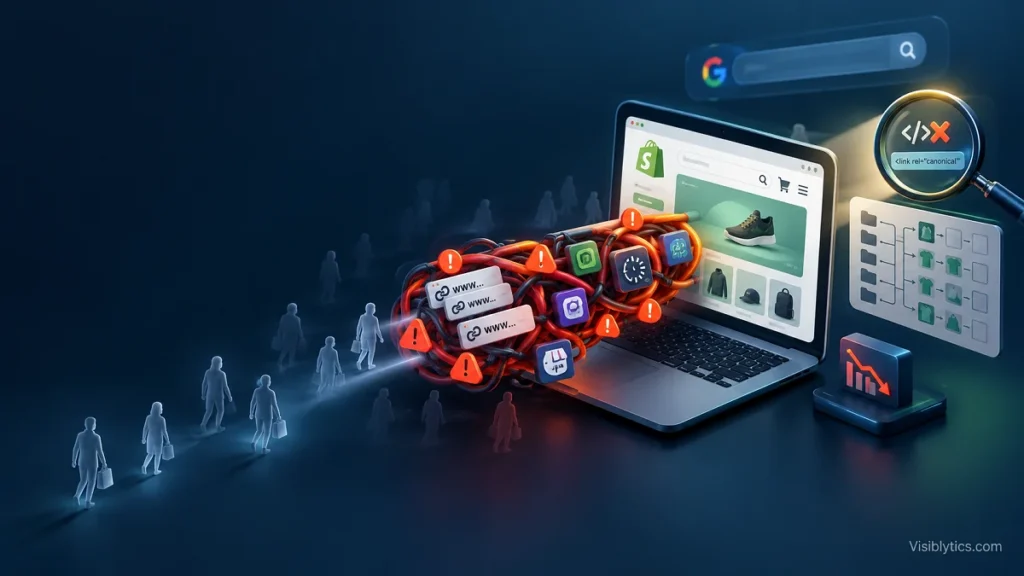
You pay for traffic, and the week you pause the ads, sessions fall to almost nothing. That pattern is the clearest sign that organic search is not carrying its share. In most Shopify stores I audit, the cause is structural, not a shortage of content or effort.
This guide is for owners and marketers who already have products live, a working theme and a Google Search Console property. It skips product description tips and store setup basics. It explains why a Shopify store not ranking on Google usually comes down to URL architecture, crawl waste, thin collection pages, messy product data and script-heavy themes. It ends with a 20-point checklist you can run this week. WooCommerce owners will recognize most of the filter and parameter problems, only under different URL patterns.
The Shopify Traffic Plateau: When Products Live Online but Google Never Sends Shoppers
Organic traffic stalls when Google cannot reach, index, understand or trust your pages, and each failure shows up in a different report. Before you change anything, work out which of four states you are in. Guessing is how stores end up rewriting 200 product descriptions when the real problem is a canonical tag.
The four states look like this:
- Not discovered. URLs are missing from the sitemap or buried with no internal links. Search Console reports them as “Discovered, currently not indexed”.
- Not indexed. Google crawled the URL and excluded it as a duplicate, a soft 404 or low quality.
- Indexed but not ranking. The Performance report shows impressions, but average position sits beyond 30.
- Ranking but not clicked. Impressions land in positions 1 to 10, yet CTR stays low because titles and snippets are weak.
If you keep asking why is my Shopify store not getting traffic, start with one comparison. Open Indexing, then Pages, in Search Console and compare the indexed count with what you have in Shopify admin. A store with 400 products and 40 collections should show roughly 440 core indexable URLs, plus a handful of pages and blog posts. If Search Console reports 2,000 indexed URLs, you have a duplication and parameter problem. If it reports 90, you have an indexation problem. Either gap tells you more than any keyword tool will.
Architectural Reason 1: Shopify Default URL Routing and Parameter Duplication (/collections/ vs /products/)
Shopify’s default URL routing is mostly safe, and the damage usually comes from theme edits and apps that override it. Every product is reachable at /products/handle and at /collections/handle/products/handle. Modern themes canonicalize the collection version to the clean product URL through the canonical_url object. Trouble starts when that tag is overridden, when tag filters create crawlable URLs, or when /collections/all competes with your real collections.
Duplicate URLs do not trigger a penalty. They split link signals, waste crawl requests and let Google pick a version you did not choose. I regularly see the /collections/ version of a product outranking the clean one, with a weaker title and a longer URL.
The most common cause I find is a hard-coded canonical that someone added to theme.liquid years ago, usually while following an old tutorial. It makes every URL point at itself, which removes the consolidation Shopify provides for free.
{%- comment -%} theme.liquid, inside <head> {%- endcomment -%}

{%- comment -%} Remove this: it self-canonicalizes collection-context product URLs {%- endcomment -%}
<link rel="canonical" href="{{ request.origin }}{{ request.path }}">

{%- comment -%} Restore this: Shopify resolves /collections/x/products/y to /products/y {%- endcomment -%}
<link rel="canonical" href="{{ canonical_url }}">
The second source of duplication is internal linking. Many themes build product card links with the within filter, which sends every click through a collection-context URL. Link to the clean URL instead.
{%- comment -%} Product card snippet {%- endcomment -%}
<a href="{{ product.url }}">{{ product.title }}</a>

{%- comment -%} Avoid: {{ product.url | within: collection }} {%- endcomment -%}
The third source is tag-based filtering. A URL such as /collections/shirts/blue is crawlable, self-canonical and indexable in many themes, and it usually has no unique copy. Unless a tag page has real search demand and its own content, keep it out of the index.
{%- comment -%} theme.liquid, inside <head> {%- endcomment -%}
{%- if template.name == 'collection' and current_tags -%}
  <meta name="robots" content="noindex, follow">
{%- endif -%}
To verify all of this, view the source of a product opened from a collection and search for canonical. Then run URL Inspection in Search Console and compare the user-declared canonical with the Google-selected canonical. If they differ, Google is overriding you. A Screaming Frog crawl with the Canonicals tab filtered to “Canonicalised” shows the scale of the problem in minutes.
Architectural Reason 2: Thin Collection Pages and Faceted Navigation Waste
Collection pages are the real ranking assets in a Shopify store, because shoppers search for categories far more often than for individual SKUs. Most collection pages ship as a title and a product grid with no supporting copy. Meanwhile, filters generate thousands of near-identical URLs that compete for crawl attention and add nothing to relevance.
Start with taxonomy. Your highest-revenue categories need their own collections, linked from the main navigation or from a parent collection. A collection that exists only inside a promotion or a menu dropdown on mobile is effectively an orphan page. Then add unique micro-copy to each revenue collection: 100 to 250 words above or below the grid that says who the range is for, how the products differ and where to go next, with links to sub-collections. Do not repeat the manufacturer text, and do not stuff the keyword.
Next, control the filters. Shopify’s default robots.txt already blocks sort parameters and tag combinations joined with a plus sign, but filter parameters such as ?filter.v.option.color=Blue stay crawlable. Their canonical points back to the clean collection URL, which prevents duplicate indexing but does nothing about crawl waste. If your store has many filters and thousands of products, add a rule through robots.txt.liquid.
{%- comment -%} templates/robots.txt.liquid {%- endcomment -%}
{% for group in robots.default_groups %}
  {{- group.user_agent }}

  {%- for rule in group.rules -%}
    {{ rule }}
  {%- endfor -%}

  {%- if group.user_agent.value == '*' -%}
    {{ 'Disallow: /*?*filter.' }}
  {%- endif -%}

  {%- if group.sitemap != blank -%}
    {{ group.sitemap }}
  {%- endif -%}
{% endfor %}
One caution. A URL blocked in robots.txt cannot be crawled, so Google never sees its canonical or noindex tag. Block only the patterns you never want indexed, and test the result in the robots report in Search Console before you publish it.
Use this matrix to decide how each type of filter should behave.
| Filter or URL type | Example | Has search demand? | Index treatment | Crawl control |
|---|---|---|---|---|
| Single high-demand attribute | /collections/jackets/black | Often | Build as a curated collection with unique copy and self-canonical | Crawlable |
| Multi-attribute combination | ?filter.v.option.color=Black&filter.p.m.custom.size=M | Rarely | Canonical to parent collection | Disallow in robots.txt.liquid |
| Price range slider | ?filter.v.price.gte=50 | No | Canonical to parent collection | Disallow |
| Availability toggle | ?filter.v.availability=1 | No | Canonical to parent collection | Disallow |
| Sort order | ?sort_by=price-ascending | No | Canonical to parent collection | Already blocked by default |
| Tag URL | /collections/shirts/cotton | Sometimes | Noindex unless it earns a place as a real collection | Crawlable so the noindex is seen |
| Pagination | ?page=2 | No, but products live here | Self-canonical, never canonical to page 1 | Crawlable |
Architectural Reason 3: Broken Product Schema and Missing Merchant Center Integrations
Product data is the second thing Google reads after your URLs, and mismatches between your page, your structured data and your feed quietly reduce visibility. Many themes output Product markup, and many review, loyalty and SEO apps add their own. The result is often two or three competing JSON-LD blocks that disagree on price or availability.
Run your top product and collection URLs through the Rich Results Test and count the Product blocks. You want one clean block with name, image, description, SKU, brand, price, currency and availability. If an app adds a second block, remove one source. Price and stock status in the markup must match what a shopper sees on the page and what you submit in your feed.
Then check Google Merchant Center. Free product listings let your catalog appear in Shopping surfaces without ad spend, and for many small stores this is the cheapest source of new non-brand impressions. Connect the account through the Google and YouTube app, fix disapprovals for missing identifiers or mismatched prices, and confirm that your shipping and return policies are filled in. A store with a feed full of errors sends Google conflicting signals about what it sells.
Architectural Reason 4: Slow Theme Performance and Third-Party App Script Overload
A slow store loses rankings at the margin and loses shoppers outright, and in Shopify the cause is almost always installed apps and not hosting. Shopify’s infrastructure is fast. What slows a store is the review widget, the popup tool, the chat bubble, the upsell script and the pixel from an app you removed last year.
I measure this with field data, not a single lab score. In PageSpeed Insights, read the Core Web Vitals assessment at the top, which comes from real Chrome users, and treat the Lighthouse score below it as a debugging aid. For the thresholds and fixes behind each metric, see our Core Web Vitals guide.
The practical audit goes like this:
- Open Chrome DevTools, go to the Network tab and filter by third-party requests on a collection page.
- List every domain and match it to an installed app. Anything you cannot match is a candidate for removal.
- Search
theme.liquidand your snippets for leftover code from uninstalled apps. Shopify apps often leave scripts behind. - Duplicate your theme, disable apps one at a time and re-test in PageSpeed Insights.
- Check that the largest above-the-fold image is not lazy-loaded, since that delays Largest Contentful Paint.
Expect to find that two or three apps account for most of the delay. Removing them costs less than any redesign.
The 20-Point Ecommerce SEO Checklist for Shopify Traffic Recovery
This ecommerce SEO checklist covers the failure modes above in the order I work through them: indexation first, duplication second, templates third, data and speed last. Fix items in order, because a speed gain on a page Google will not index changes nothing.
| # | Check | Where to look | Pass condition |
|---|---|---|---|
| 1 | Indexed URL count versus expected | Search Console, Pages | Within about 10 percent of products plus collections plus pages |
| 2 | Sitemap submitted and healthy | Search Console, Sitemaps | Status “Success”, no errors |
| 3 | robots.txt has no accidental disallows | yourstore.com/robots.txt | Products and collections are not blocked |
| 4 | No stray noindex on templates | Page source, Screaming Frog | None on products or collections you want ranked |
| 5 | Product canonical points to /products/ | URL Inspection | Google-selected canonical matches declared |
| 6 | Product cards link to clean URLs | Theme snippets | No within: collection filter in use |
| 7 | Tag URLs have a decision | Screaming Frog crawl | Noindexed or promoted to real collections |
| 8 | /collections/all handled | Page source | Noindexed or canonicalized, not competing |
| 9 | Filter parameters controlled | robots.txt, Pages report | No filter URLs in the indexed set |
| 10 | Pagination crawlable | Page source | Self-canonical, plain links to ?page=2 |
| 11 | Unique title and meta per collection | Screaming Frog | No duplicate or empty values |
| 12 | Copy on revenue collections | Collection pages | 100 to 250 unique words each |
| 13 | No orphan collections | Crawl, inlinks report | Every collection has internal links |
| 14 | One clean Product schema block | Rich Results Test | No duplicate or conflicting blocks |
| 15 | Schema matches page and feed | Rich Results Test, Merchant Center | Same price and availability everywhere |
| 16 | Merchant Center connected | Merchant Center diagnostics | No active disapprovals |
| 17 | Core Web Vitals pass on mobile | PageSpeed Insights field data | Pass on product and collection templates |
| 18 | Apps audited and leftovers removed | DevTools Network, theme code | Every third-party domain has a known owner |
| 19 | Hero image not lazy-loaded | Page source | Eager load with explicit dimensions |
| 20 | Deleted products redirected | Shopify redirects, crawl | One hop to the nearest collection, no chains |
When to Hire an Ecommerce SEO Freelancer to Re-Engineer Your Store Architecture
Bring in help when the checklist shows structural problems that need theme-level changes, or when the store has several hundred URLs and nobody on the team can read a crawl. A small store can usually work through items 1 to 10 alone in a few days. Anything that touches theme.liquid, robots.txt.liquid or app removal deserves a developer-literate specialist and a duplicate theme for testing.
Budget realistically. Project work from a senior specialist typically runs $150 to $250 per hour, and ongoing retainers commonly sit between $1,500 and $3,500 per month. A fixed-scope audit is the cheaper first step, and it tells you whether a retainer is justified. If you want one person who owns the fixes from diagnosis to release, an ecommerce SEO freelancer for Shopify organic growth is the model to evaluate. For a diagnosis before any commitment, our SEO audit services cover the crawl, indexation and template review described above, and a technical SEO freelancer can implement the theme and robots changes once priorities are agreed.
Whoever you talk to, ask three questions. Can they show before and after Search Console data from a Shopify store? Will they edit Liquid or only file tickets for your developer? How do they decide which tag and filter pages deserve an index? Clear answers to these tell you more than any case study deck.
If you are still wondering why is my Shopify store not getting traffic after working through the checklist, the answer is almost certainly in the first ten rows. Fix indexation and duplication first, then collection content, then data and speed. That order protects your time and gives Google the cleanest possible version of your store to rank.