If your site has been live for months and Google sends you almost nothing, or traffic that once existed has flatlined, you are rarely dealing with one problem. You are dealing with a stack of possible failure points, and the most expensive mistake is fixing the wrong layer. Rewriting copy on a page Google cannot index changes nothing. Building links to a page that targets the wrong intent changes very little. Order matters.
This article walks through 11 causes in the order a senior SEO would triage them: crawl and technical blockers first, then indexation and architecture, then authority and trust, then search intent. Each one includes how to confirm it and what the fix looks like. If your traffic fell off a cliff recently rather than never arriving, start with our guide on what to check first when website traffic drops suddenly, then come back here.
Total Search Invisibility: Why New and Existing Websites Disappear from Google
“Not ranking” describes two very different situations, and they have different fixes:
- Not indexed: Google has not stored the page, so it cannot appear for any query. This is a plumbing problem.
- Indexed but not ranking: Google knows the page exists but does not consider it a strong enough answer. This is an architecture, authority or intent problem.
The first diagnostic question is always: is the URL in the index? Everything below is sequenced from that question.
| What you see | Most likely category | First check |
|---|---|---|
| Key pages absent from Google entirely | Technical and crawl blockers | URL Inspection in Google Search Console (GSC) |
| Pages indexed, impressions near zero | Indexation and content architecture | Internal links to the page, cannibalization |
| Impressions but few clicks, positions 20+ | Authority and trust signals | Competitor comparison, entity and author signals |
| Ranking for the wrong queries, or none that convert | Search intent mismatch | What page types dominate the live SERP |
Category 1: Technical and Crawl Blockers (Noindex, Robots.txt, Parameter Traps, JS Rendering)
These are the highest-priority checks because they can make every other effort worthless.
Cause 1: A noindex directive left over from staging
This is the classic launch failure. A site is built on a staging environment with indexing disabled, then pushed live with the directive intact. It can live in the HTML or in the HTTP header, and the header version is easy to miss because it is not visible in the page source.
<meta name="robots" content="noindex, nofollow">
X-Robots-Tag: noindex
How to confirm: Run the URL through GSC’s URL Inspection tool and look for an “excluded by noindex” style status. Then check response headers in Chrome DevTools (Network tab, select the document request, Headers). A crawl in Screaming Frog will surface every noindexed URL at once under its directives reporting.
Fix: Remove the directive at the template, plugin or server level, not page by page. Then request re-indexing on priority URLs and make sure the page is in your XML sitemap.
Cause 2: Robots.txt rules blocking the wrong paths
A single misplaced line can block an entire site or a critical directory:
User-agent: *
Disallow: /
More subtle versions block /blog/, a faceted directory that contains real landing pages, or the CSS and JavaScript files Google needs to render the page properly. One important detail: robots.txt controls crawling, not indexing. If you block a URL, Google cannot read a noindex tag on it, so blocked URLs can sit in a confusing state.
How to confirm: Open yourdomain.com/robots.txt and read it line by line. In GSC, check the robots.txt report and use URL Inspection to see whether a specific URL is blocked.
Fix: Allow crawling of anything you want indexed, and use noindex (on a crawlable page) when the goal is to keep a page out of search.
Cause 3: Parameter and faceted URL traps burning crawl attention
Filters, sort orders, session IDs and tracking parameters can multiply one page into thousands of near-identical URLs. Google spends its attention on the variants while your real pages wait. This is most damaging on large e-commerce catalogs and sites with internal search pages that generate crawlable URLs.
How to confirm: Crawl the site and sort URLs by parameter patterns. In GSC, the Pages report will often show large groups of “duplicate” or “crawled but not indexed” URLs sharing a pattern. Server log files are the most reliable source if you have access.
Fix: Decide which parameter combinations deserve to exist as landing pages. Canonicalize or block the rest, remove internal links that point to junk variants, and keep parameters out of your sitemap. For the duplicate-handling fundamentals, see our guide on how duplicate content can hurt your rankings without a penalty.
Cause 4: Content that only exists after JavaScript runs
If your primary content, internal links or metadata are injected client-side, you are depending on Google’s rendering step working correctly. Rendering is deferred and can fail or be incomplete, and other crawlers, including many AI crawlers, may not execute JavaScript at all. I am not certain how every individual AI crawler behaves today, so verify this against each vendor’s current documentation before making decisions based on it.
How to confirm: Compare “View Source” with the rendered DOM in DevTools. Then use GSC’s URL Inspection live test, view the rendered HTML, and check whether your main content and links are present.
Fix: Move critical content to server-side rendering or static generation, and make sure internal links are real anchor elements with href attributes rather than click handlers.
Category 2: Indexation and Content Architecture (Orphan Pages, Keyword Cannibalization, Thin Content)
Here the plumbing works, but the site structure does not tell Google which pages matter.
Cause 5: Orphan pages and weak internal linking
A page with no internal links pointing to it signals that even you do not consider it important. Google may still find it through a sitemap, but a sitemap entry is a weak signal compared with links from pages that already have visibility.
How to confirm: Crawl the site, then compare crawled URLs against your sitemap and GSC data. URLs present in the sitemap but absent from the crawl are orphans.
Fix: Link to commercial and cornerstone pages from relevant high-visibility pages using descriptive anchor text. Treat internal linking as a deliberate map of priorities, not an afterthought.
Cause 6: Keyword cannibalization
When several of your URLs target the same query and intent, Google may rotate between them, and none builds stable rankings. Common sources: old and new versions of the same article, blog posts competing with the service page they were meant to support, and tag or category archives that duplicate topics.
How to confirm: In GSC, filter the Performance report by a query, then look at the Pages tab. Several URLs sharing impressions for one query is the signature.
Fix: The right response depends on the situation: consolidate and redirect, canonicalize, differentiate the intent of each page, or separate informational from commercial URLs. Deleting content is not always the answer. Our full walkthrough is in the guide on finding and fixing keyword cannibalization.
Cause 7: Thin, templated or near-duplicate pages
Location pages that differ only by city name, product pages with manufacturer boilerplate, and programmatic pages with no unique value often end up in the “crawled, currently not indexed” bucket in GSC. Google has seen them and decided they do not justify a place in the index.
How to confirm: Check the Pages report for “Crawled – currently not indexed” and look for template patterns among the affected URLs.
Fix: Either add genuinely unique information to each page or reduce the number of pages. Fewer, stronger pages almost always beat many weak ones.
Category 3: Authority and Trust Signals (Missing E-E-A-T, Unverified Entities, Algorithmic Devaluation)
If your pages are indexed, well linked and still stuck, the problem is often that Google has little reason to trust you over the sites already ranking.
Cause 8: No verifiable experience, authorship or business identity
Pages with no named author, no credentials, no company details and no evidence of firsthand experience are easy to rank below sources that provide them. This matters most in categories where bad information carries real cost, such as finance, health, legal and B2B technology purchases.
How to confirm: Look at your top pages as a skeptical buyer would. Can you tell who wrote this, why they are qualified, and who the company is? Compare with the pages ranking above you.
Fix: Add named authors with real bios, document first-hand experience (original data, screenshots, case details you can legitimately share), and make the About, Contact and company pages complete and consistent.
Cause 9: An unverified or ambiguous brand entity
Google ties content to entities: your company, your people, your products. If your brand name is shared with others, your business details conflict across the web, or your structured data is missing or inconsistent, Google has a harder time attributing authority to you.
How to confirm: Search your brand name and see what Google shows. Check that your name, address, founders and profiles match across your site, LinkedIn, directories and any structured data.
Fix: Align the facts across authoritative sources and make them machine-readable with consistent Organization markup.
Cause 10: Site-wide quality devaluation
After core updates, some sites find that large parts of their content lose visibility together. This pattern points to a quality assessment of the site as a whole rather than a technical fault on individual pages. Typical contributors include large volumes of generic or lightly edited content, pages written for search engines rather than readers, and a low ratio of useful pages to filler.
I cannot tell you with certainty how long recovery takes, because Google has not published a fixed timeline and outcomes vary. Treat any agency promising a specific recovery date with caution.
How to confirm: Check whether the decline lines up with a confirmed update date, and whether it is spread across many sections rather than isolated pages.
Fix: Audit content by usefulness, then improve, merge or remove weak pages. Mass rewriting without diagnosing the underlying problem often wastes effort.
Category 4: Search Intent Mismatch (Creating Informational Posts for Commercial Queries)
Cause 11: Your page type does not match what Google is rewarding
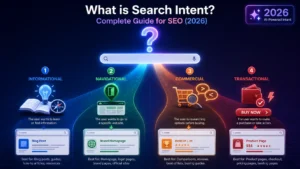
Search the query you want to rank for and read the first page of results. If it is all product comparison pages and your page is a long educational article, or it is all tools and your page is a guide, Google has already told you what it believes the searcher wants. A better-written page of the wrong type will not displace them.
This also covers targeting terms that your site is not yet equipped to win. A new domain targeting the most competitive head terms in its industry will struggle regardless of content quality.
How to confirm: Manually review the SERP for each priority query. Note the dominant page type, format, depth and the strength of the domains ranking.
Fix: Match the format and intent of the results, or choose a more winnable adjacent query and build toward the harder one. Commercial queries usually need commercial pages, not blog posts.
How to Run a 30-Minute Diagnostic in Google Search Console
This workflow tells you which category above you are in. The menu names below reflect GSC as I know it, and Google changes its interface periodically, so adjust to the current layout.
Minutes 0 to 5: Check for site-level disasters.
- Open Manual actions and Security issues. Anything listed there takes priority over everything else.
- Open Settings, then Crawl stats, and look for spikes in server errors or sudden drops in crawl requests.
Minutes 5 to 12: Audit indexation.
- Open the Pages report. Note how many pages are indexed versus not indexed, and read the reasons listed.
- Pay particular attention to “Excluded by noindex tag”, “Blocked by robots.txt”, “Crawled – currently not indexed”, “Discovered – currently not indexed” and duplicate or canonical-related reasons.
- Compare the indexed count against the number of pages you actually want indexed.
Minutes 12 to 20: Inspect your money pages.
- Run URL Inspection on your five most commercially important URLs.
- For any that are not indexed, run the live test and review the rendered HTML and screenshot.
- Confirm Google’s selected canonical matches your intended canonical.
Minutes 20 to 27: Analyze performance.
- In Performance, set the date range to at least the last 3 months and review queries and pages.
- Separate branded from non-branded queries. If only branded queries appear, you have an authority and visibility problem, not a ranking-tweak problem.
- Check for queries where multiple URLs appear, which signals cannibalization.
Minutes 27 to 30: Sort the findings.
- Match what you found to the four categories and fix in that order: technical, indexation and architecture, authority, then intent.
This workflow gives you a direction, not a full diagnosis. Crawling with Screaming Frog, reviewing server logs, and comparing against competitors in Ahrefs or Semrush will go deeper than GSC alone can.
When Self-Diagnosis Fails: Why an Independent SEO Audit Is the Cleanest Reset
Most sites with ranking problems have more than one cause at the same time. A noindex issue can hide a cannibalization problem, and fixing indexation can then reveal an intent mismatch you could not see before. That is the point where self-diagnosis tends to stall: you can find symptoms, but you cannot confidently rank them by impact or know what to ignore.
A professional SEO audit to diagnose exactly what’s holding your site back replaces guesswork with a prioritized list: what is blocking indexation, what is diluting authority, what is mismatched to intent, and in what order to fix it. It is most useful when you have already tried the obvious fixes, when engineering time is limited and has to be spent well, or when you need an independent view that is not tied to selling you ongoing work.
If the audit points to deeper crawl, rendering or indexation work, a technical SEO specialist can implement the fixes at the code and architecture level.
Do the 30-minute GSC check above first. If you find a clear blocker, fix it and recheck in a few weeks. If you find several overlapping problems, or none that explain the gap, that is the right time for an independent audit.