
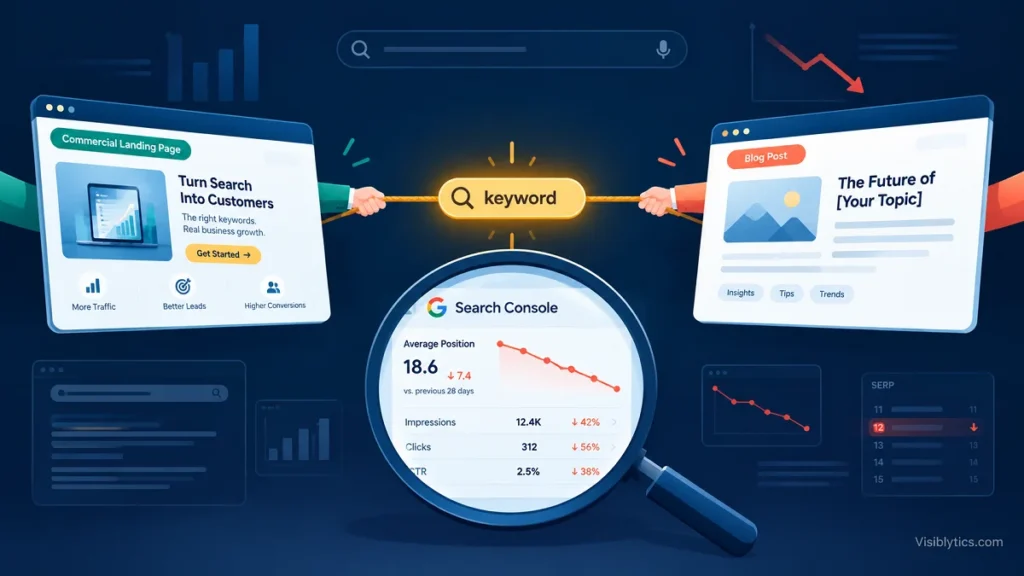
Your best commercial page sits at position 9. Last quarter it sat at position 4. Nothing on the page changed, yet a blog post you published in the spring now takes turns with it in the results, and neither one holds a stable position. Clicks are flat, conversions are flat, and the content team is still publishing more.
This is what internal query overlap costs an established site: not a penalty, but a split. Authority, anchor text, and click signals get divided across URLs that Google has to choose between, and it keeps changing its mind. The fix is rarely “delete the weaker page.” Sometimes it is, but often it is a redirect, a canonical tag, a rewrite, or nothing at all.
This guide gives you a 15-minute detection workflow using Google Search Console and Screaming Frog, a four-part decision tree for choosing the right remediation, and a keyword mapping template that stops the problem from coming back.
Keyword Cannibalization Explained: When You Compete Against Yourself on Google
The short version: cannibalization happens when more than one URL on your site targets, and competes for, the same search intent. We will not re-teach the theory here. If you need the definitions, the causes, and the history behind the term, read our complete cannibalization guide first and come back for the remediation playbook.
One distinction matters before you touch anything: two URLs ranking for the same query is not automatically a problem. Two results from one domain on page one can be a net win if both earn clicks. Cannibalization becomes a problem when the overlap causes instability, suppresses the page you actually want to rank, or sends users to a URL that cannot convert them. Your audit should find harmful overlap, not every overlap.
The 3 Warning Signs in Google Search Console
These are the patterns that separate harmful overlap from harmless overlap. Any one of them is worth investigating; two or three together is usually a confirmed case.
1. URL flipping. For a single query, Google alternates between two or more of your URLs over time. Filter Performance by that query, add a Page filter for each URL in turn, and compare the position charts. If the lines trade places or one disappears as the other appears, Google has not decided which page deserves the query.
2. CTR depression. The page ranks in a position that normally earns a healthy click-through rate, but clicks are well below what that position should produce. This often happens when the URL Google chooses does not match the query’s intent, such as a blog post surfacing for a query where searchers want a service page.
3. Stagnant positions. Positions hover between roughly 8 and 20 for weeks, even after you improve the content or add internal links. Effort that should move a page and doesn’t is a classic symptom of authority being split across competing URLs.
A note on thresholds: the cut-offs in this guide (position ranges, impression shares) are working heuristics from practitioner experience, not published Google standards. Tune them to your site’s size and traffic.
How to Detect Cannibalization in 15 Minutes Using GSC Performance Reports
Step 1: Pull the data (3 minutes)
In Google Search Console, open Performance > Search results and set the date range to the last 3 months. Enable Clicks, Impressions, CTR, and Position. For a small site, you can work directly in the interface. For a larger one, export query-and-page data through the Search Console API or Looker Studio, because the standard interface exports are capped. Please verify the current export limits in Google’s documentation, as they have changed over time.
Step 2: Build the query-to-page matrix (5 minutes)
You need one row per query-and-page combination. In Google Sheets or Excel, create a pivot table:
- Rows: Query
- Columns: Page (or a second pivot listing pages beneath each query)
- Values: Sum of Impressions, plus Average of Position
Then add a helper column that counts how many distinct pages receive meaningful impressions for each query. “Meaningful” is yours to define; a reasonable starting point is any URL holding at least 10 to 20 percent of that query’s impressions.
Sort by the number of competing URLs, then by total impressions. The top of that list is your priority queue.
Step 3: Filter for commercial relevance (3 minutes)
Most overlap sits in queries that do not matter. Cross-reference your list against the queries tied to revenue: service terms, product terms, comparison terms, and bottom-of-funnel modifiers like “pricing,” “vs,” and “alternatives.” Ignore branded queries for now; overlap there is usually benign.
Step 4: Confirm with a crawl (4 minutes)
Impressions show you what Google does. A crawl shows you why. In Screaming Frog, run a crawl of the site and review:
- Page titles and H1s: export both and look for the same target phrase in multiple URLs.
- Near-duplicate content: this requires enabling near-duplicate detection in the crawl configuration before you start. Check Screaming Frog’s current documentation for the exact setting name, since menu labels vary between versions.
- Internal anchor text: look at the Inlinks report. If dozens of internal links use the exact same anchor text but point to two different URLs, you have told Google that both pages deserve the query.
If you connect Screaming Frog to the Search Console API, you can pull clicks and impressions straight into the crawl and see the overlap next to the on-page signals. Confirm the current setup steps in Screaming Frog’s guide.
Ahrefs and Semrush can accelerate this step. Both can show multiple URLs from your domain ranking for a keyword, but treat their data as directional, because it is a third-party sample of rankings, not a record of what Google actually served.
If the overlap spans hundreds of URLs, or you suspect it is one symptom of a deeper structural problem, an independent SEO audit is usually faster than working through the matrix by hand.
The 4 Remediation Strategies
The most common mistake is treating every overlap as a content-deletion project. Delete the wrong page and you lose backlinks, rankings for related queries, and a conversion path. Choose the fix based on intent, link equity, and business function, not on which page is newer.
Strategy 1: Content Consolidation and 301 Redirect Architecture
Use when: two or more URLs serve the same intent, none has a unique business reason to exist, and at least one is weaker.
How to do it:
- Pick the winner. Usually this is the URL with the most backlinks, the longest ranking history, or the best conversion path. Do not default to the newest page.
- Merge the best material from the losing page into the winner. Keep unique sections, data, and examples. Drop repeated content.
- 301-redirect the loser to the winner, one to one. Do not redirect to the homepage.
- Update every internal link that pointed to the old URL so users and crawlers skip the redirect hop.
- Update the XML sitemap and request indexing for the consolidated page in Search Console.
- Leave the redirect in place for the long term. Removing it after a few weeks throws away the equity you merged.
Risk: a poor merge produces a bloated page that matches neither intent well. Consolidate by intent, not by volume of text.
Strategy 2: Canonicalization for Distinct Conversion Targets
Use when: both URLs must stay live (for example, parameter variants, print views, or near-identical landing pages used for separate campaigns), but only one should rank.
How to do it: add a rel="canonical" tag on the secondary URL pointing to the preferred one. Keep the content genuinely similar. A canonical is a hint, not a directive, so Google may ignore it if the pages are meaningfully different.
Risk: the canonicalized URL will usually stop ranking. Do not use this on a page you want to earn organic traffic in its own right.
Strategy 3: Query De-optimization and Anchor Text Re-pointing
Use when: both pages deserve to exist and serve loosely related needs, but their on-page signals point at the same query.
How to do it:
- Rewrite the title tag and H1 of the secondary page so it targets a different primary phrase.
- Reduce exact-match repetition of the contested phrase in the body, headings, and image alt text.
- Audit internal links. Point exact-match anchors for the contested query only at the page you want to win, and change the anchors on links to the other page to match its new focus.
Risk: de-optimization is slow. Google has to recrawl and reassess both pages, so expect weeks before the signals settle. Do not change four things at once, or you will not know what worked.
Strategy 4: Intent Separation (Splitting Informational from Commercial URLs)
Use when: a blog post and a service or product page compete for the same query because the query is ambiguous, or because the content blurred the line.
How to do it: decide what a searcher using that query actually wants, then assign the query to one page only. Make the informational page genuinely informational (no sales pitch crowding out the answer) and the commercial page genuinely commercial (pricing, scope, proof). Link the informational page to the commercial one with a clear contextual link. For a deeper look at how to read intent correctly, see our search intent guide.
Risk: if you misjudge the intent, you may demote the page Google actually wanted. Check the live results for the query before assigning it.
The Decision Matrix: Resolving Cannibalized URL Pairs
Use this table when you have a specific pair of URLs in front of you.
| Situation | Signal to check | Action | Main risk |
|---|---|---|---|
| Same intent, one clearly weaker | Weaker page has few backlinks and little unique content | Strategy 1: Consolidate + 301 | Poor merge dilutes the winner |
| Same intent, both have strong backlinks | Both attract referring domains | Strategy 1: Consolidate into the stronger URL, then 301 | Pick the wrong winner and lose equity |
| Near-identical pages, both required | Duplicate content, separate campaigns or parameters | Strategy 2: Canonicalize | Canonicalized page loses organic visibility |
| Related topics, overlapping signals | Same title/H1 phrase, different real intent | Strategy 3: De-optimize and re-point anchors | Slow, and needs patience |
| Blog post vs. service page on one query | SERP shows a clear dominant intent | Strategy 4: Intent separation | Misreading intent |
| Two URLs ranking, both earning clicks | CTR healthy, positions stable | No action | Fixing what isn’t broken |
Flowchart logic
Two or more of your URLs rank for the same query
│
├─ Is the overlap causing harm? (flipping, low CTR, stalled positions)
│     └─ No  → Leave alone. Monitor.
│
├─ Do the pages satisfy the SAME search intent?
│     └─ No  → Strategy 4: Intent separation
│
├─ Does either page have a unique business reason to exist?
│     (campaign page, regional page, distinct conversion path)
│     │
│     ├─ Yes → Is the content nearly identical?
│     │         ├─ Yes → Strategy 2: Canonicalize
│     │         └─ No  → Strategy 3: De-optimize and re-point anchors
│     │
│     └─ No  → Strategy 1: Consolidate and 301 into the stronger URL
Prevention: Why Professional Keyword Mapping Is Mandatory Before Publishing Any New Content
Every cannibalization problem began as a publishing decision made without checking what already existed. The fix is a keyword map: one master document that assigns each target query to exactly one URL, along with the intent it serves.
A workable keyword mapping matrix has these columns:
| Column | Purpose |
|---|---|
| Primary query | The single phrase this URL owns |
| Intent type | Informational, commercial, transactional, or navigational |
| Assigned URL | The one page responsible for this query |
| Secondary queries | Variations the page may also capture |
| Queries to avoid | Phrases owned by other URLs |
| Last reviewed | Date of the last overlap check |
Three rules keep the map useful:
- Check before you brief. No new article or page gets commissioned until someone confirms the target query is unassigned or deliberately reassigned.
- Review quarterly. Re-run the GSC query-to-page matrix every quarter and compare it against the map.
- Record internal-link anchors. Anchor text is part of the keyword assignment. If a contested phrase appears as an anchor to the wrong URL, the map is being undermined from inside.
Building the first version of this map is the most labor-intensive step. It means crawling the site, extracting every title and H1, clustering queries by intent, and resolving existing conflicts. Teams often hand it to a keyword research and mapping specialist for cannibalization audits, because the first pass is where judgment calls (which page wins, which intent is real) matter most. Once the map exists, your own team can maintain it.
Quick Recap
- Not every overlap is cannibalization. Look for flipping URLs, depressed CTR, and stagnant positions.
- Detect with a GSC query-to-page matrix, then confirm with a Screaming Frog crawl.
- Choose from four fixes: consolidate and 301, canonicalize, de-optimize, or separate by intent.
- Prevent recurrence with a keyword map that assigns one query to one URL before anything is published.