
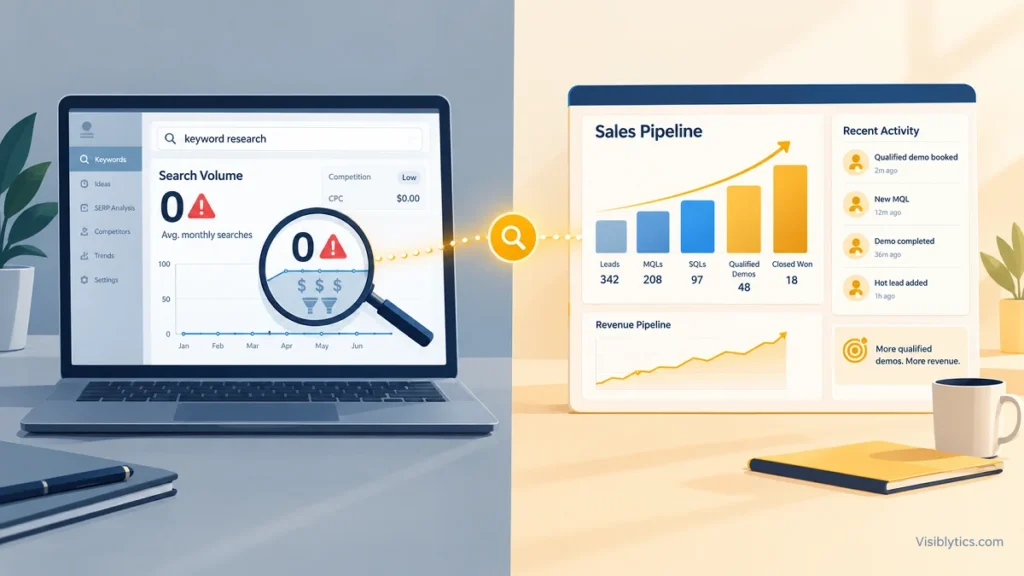
Your keyword tool says the volume is 0. Your sales team says three of last quarter’s qualified demos arrived on pages that target exactly that kind of phrase. Both statements can be true, and if you sell a $10k to $100k+ contract into a long buying cycle, the second one is the one that pays your salary.
This article is a framework for B2B and enterprise SaaS marketers who are being told, by a dashboard, to skip the most commercially valuable queries in their market. It is not a case for zero-volume keywords in consumer e-commerce, where the economics are the opposite. It is about niches where a handful of qualified visits can be the difference between a closed deal and a missed quarter.
The Zero-Volume Paradox: Why the Highest Converting B2B Queries Show 0 Searches
Volume is a proxy for audience size. Pipeline depends on audience quality. In consumer markets those two move together, because you need thousands of visitors to get a few buyers. In high-ACV B2B they decouple.
Consider the arithmetic. These figures are illustrative, not benchmarks, so substitute your own close rate and contract value:
| Scenario | Monthly visits | Visit-to-qualified-lead rate | Lead-to-close rate | ACV | Annual revenue influenced |
|---|---|---|---|---|---|
| Broad head term (“project management software”) | 20,000 | 0.1% | 2% | $12,000 | about $4,800 |
| Zero-volume niche query | 10 | 10% | 20% | $60,000 | about $12,000 |
The second row looks absurd until you remember who is searching. A person typing a very specific pain-point-plus-stack phrase is usually mid-evaluation, often with budget approved. Ten visits a month from that person can outweigh twenty thousand from a casual browser. The conversion rates above are assumptions to show the mechanics, so test them against your own CRM data before building a business case on them.
The cost of ignoring this is also asymmetric. Competitors who follow the tool’s advice crowd into the same few dozen head terms. The long tail of specific queries goes uncontested, often with no comparable page on the results page at all.
How Keyword Research Tools Calculate Volume (And Why Enterprise Search Breaks Their Models)
I am not certain of the exact methodology each vendor uses, and it differs by tool, so check their documentation. The general picture is well established, though.
- Google’s own keyword data is aggregated. Keyword Planner is built for advertisers, groups very low-volume terms together, and tends to show ranges or round figures instead of precise counts.
- Third-party tools model their numbers. Most blend Google data with clickstream panels and statistical estimation. Estimation works well for terms with many searches and degrades for terms with few.
- Rare queries are invisible to the sample. If a phrase is searched a handful of times per month, a panel-based model may never observe it, so it reports 0 or leaves the term out of the database entirely.
Google has publicly stated that a meaningful share of its daily queries are ones it has never seen before. I recall a figure of roughly 15%, but verify that against Google’s current statements before quoting it. The direction is what matters: the long tail of unique, specific queries is large, and tools sample it poorly.
Enterprise search makes this worse. Buyers in a niche use vendor names, internal system names, compliance frameworks and integration constraints. A query such as “SOC 2 evidence collection for [specific ERP]” may have no panel footprint at all. “Zero” in the tool means “not observed,” not “nobody searches.”
The 0 you see is a measurement limit. It is not a demand forecast.
The Anatomy of a High-Intent B2B Zero-Volume Query (Pain-Point + Stack + Decision State)
Not every zero-volume term is worth a page. Most of them are zero because nobody searches them. The ones worth targeting share a structure with three components:
- Pain point: a specific operational failure, not a category name.
- Stack or context: the system, vendor, regulation or environment the problem lives in.
- Decision state: a signal that the searcher is evaluating, comparing or implementing, not just learning.
The examples below are illustrative patterns, not verified queries from any client. Treat them as templates for the structure.
| Query pattern | Pain point | Stack / context | Decision state |
|---|---|---|---|
| “migrate [legacy ERP] reporting to [cloud warehouse] without downtime” | Reporting continuity during migration | Legacy ERP and a named warehouse | Implementing |
| “[vendor A] vs [vendor B] for multi-entity consolidation” | Choosing between two tools | Two named vendors, specific use case | Comparing |
| “SOC 2 evidence automation for [HRIS or cloud provider]” | Audit evidence collection | Named system of record | Evaluating |
| “[tool] SSO provisioning fails with [identity provider]” | Integration failure | Named tool and identity provider | Troubleshooting a live deployment |
A simple test: if you can picture the person’s job title and their rough budget from the query alone, it is a pipeline query. If you can only picture a curious student, skip it.
One boundary to respect. This approach depends on contract value and sales-cycle length. If your average deal is small and fast, the numbers above do not apply, and a head term with real volume deserves your attention. To check where a candidate query sits on the intent spectrum, use our complete guide to search intent rather than re-deriving the categories here.
Finding Niche Search Terms: Sales Calls, Customer Support Tickets, and Niche Communities
If the tools cannot see these queries, the data has to come from where buyers actually talk. Three sources outperform any keyword database for this work.
1. Sales calls and discovery transcripts
Pull the last 20 to 30 recorded discovery calls from your CRM or call-recording tool. Extract the exact phrases prospects use to describe their problem in the first five minutes. Buyers describe pain in their own words, and those words are often what they typed into Google beforehand. Note the vocabulary your marketing team does not use. The gap between how prospects talk and how your site talks is usually where the opportunity sits.
2. Support tickets and onboarding questions
Tickets show how customers phrase problems after purchase, which closely resembles how prospects phrase them before purchase. Filter for tickets mentioning specific integrations, error states or compliance requirements. Each recurring one is a candidate page.
3. Niche communities and technical forums
Search the communities your buyers use: vendor-specific forums, subreddits, Slack and Discord groups, and Q&A sites for your category. Look for threads with unanswered or poorly answered questions. Unanswered threads indicate real demand and weak competition at the same time.
4. Google Search Console as validation, not discovery
Once a page is live, Search Console will report the real queries that triggered impressions, including ones your tools called zero. Filter for long queries (the regex filter in the Performance report is built for this) and review them monthly. This closes the loop: you discover queries from conversations, then confirm them with impression data.
Content Architecture for Zero-Volume Pages: Solving Deep Technical Use Cases
A zero-volume page earns its place by being the best answer to one narrow problem. Four structural rules apply.
One query pattern, one page. Do not stuff three niche problems into one article. Narrow pages match narrow intent and avoid internal competition. Before you create a page, assign its query to a single URL using the rules in our keyword mapping guide, so new pages do not overlap with existing ones.
Lead with the resolution. The searcher is mid-task. Put the direct answer, the configuration, or the decision criteria in the first screen, then support it with detail.
Show real depth. Include the actual steps, parameters, error messages, edge cases and tradeoffs. Technical buyers can tell within seconds whether the author has done the work. Original screenshots, configuration snippets and named constraints are what separate these pages from generic content.
Give the reader a next step that fits their stage. A person comparing vendors does not want a newsletter signup. Offer a scoping call, a technical review or an integration checklist, and make the contact path obvious.
Two practical notes on measurement. First, judge these pages by qualified conversations and pipeline influenced, not by traffic. A page with 15 monthly visits and two demo requests a quarter is a strong performer. Second, build a cluster over time. Ten to twenty narrow pages around one product area compound, because they reinforce each other through internal links and demonstrate depth on the topic.
If your business sells SaaS specifically, these pages also feed the broader search-to-MRR approach we describe on our SEO for B2B SaaS page.
Working with a Specialized Keyword Strategist to Map Untapped B2B Search Demand
You can run all of this in-house. The work is not complicated, but it is labor-intensive and easy to do badly. The common failure modes are these:
- Mining sales calls once, then never again, so the list goes stale.
- Picking queries that are zero because nobody searches them, rather than because tools cannot see them.
- Publishing pages with no keyword map, which creates cannibalization problems later.
- Judging results on traffic and then abandoning the strategy at month three.
A specialist earns their fee by shortening that cycle. A good engagement gives you a mapped list of niche queries sourced from your own customer language, a decision on which deserve dedicated pages, a brief for each page, and a measurement setup tied to pipeline instead of sessions.
If you want that mapped for your market, our freelance keyword research specialist for B2B pipeline strategy service starts from your sales and support data, not from a tool export. Ask any strategist you evaluate to show how they validate a zero-volume query before recommending it. If the answer is “we check the tool,” they are using the same blind spot you already have.
Quick Recap
- Zero in a tool usually means “not observed,” and rarely means “no demand.”
- The approach fits high-ACV, long-cycle B2B. It does not fit consumer e-commerce.
- Worthwhile queries combine a pain point, a stack and a decision state.
- Source them from sales calls, support tickets and niche communities. Validate them in Search Console.
- Measure by qualified pipeline, not visits.