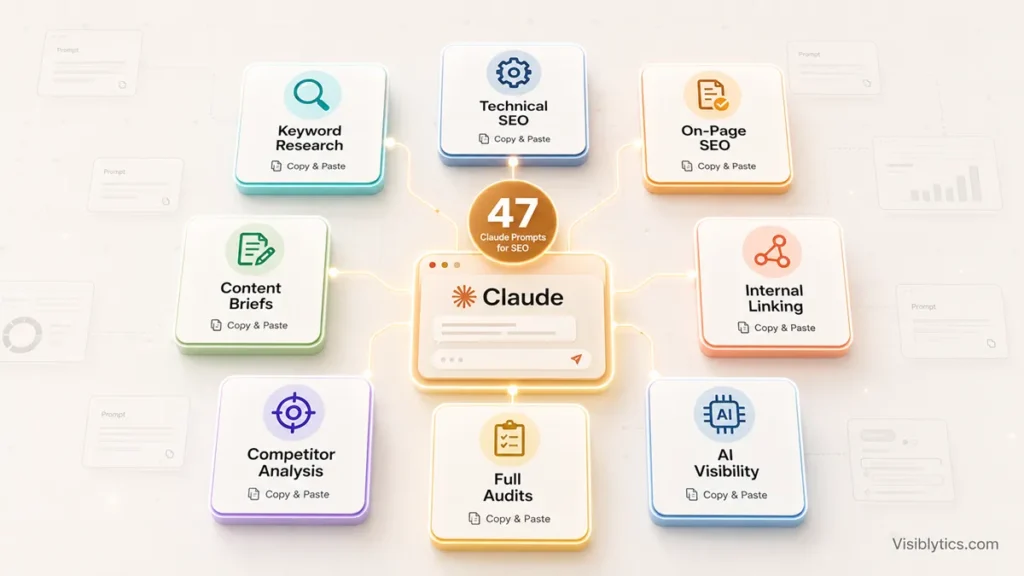
I have spent a good chunk of the last year running SEO tasks through Claude instead of doing them by hand, and the honest truth is that most “AI SEO prompt” lists floating around right now are padded. They repeat the same six ideas in different wording and call it 40 prompts. This one is not that. Below are 47 Claude prompts for SEO that I actually use, organized the way an audit actually flows: research first, technical health second, on-page fixes third, content and schema after that, and competitor work woven through the whole thing.
If you searched for Claude prompts for SEO, you probably already know what Claude is and you are not here for an explainer on large language models. You want prompts you can paste in right now, with enough context that Claude gives you something usable on the first try instead of a generic list you have to rewrite anyway. That is what this covers.
One thing before the prompts. Claude is genuinely good at a specific slice of SEO work: pattern recognition across content, writing and reasoning about structure, and generating things like schema or briefs that follow a strict format. It is not good at live crawling, it does not have real-time rank data, and it cannot pull your actual Search Console numbers unless you paste them in or connect it through a tool that supports that. Keep that distinction in mind as you go through this, because a prompt that assumes Claude has data it does not have will just produce a confident-sounding guess.
How to Use These Claude Prompts for SEO Without Getting Generic Output
The short version: give Claude real data, not summaries, and set up context once so you are not repeating yourself in every prompt. Paste actual page content, actual competitor titles, actual keyword lists. The more specific the input, the less Claude has to fill in gaps with assumptions, and the gaps are usually where the output goes wrong.
A few habits that make a real difference:
- Set up a Project (or a saved system prompt) once. If you are on Claude Pro, create a Project for your site or your client’s site and drop in the basics: industry, audience, main competitors, tone preferences. Every prompt you run inside that Project inherits the context automatically, so you stop retyping “I run a B2B SaaS site targeting US mid-market buyers” fifty times.
- Paste raw content, not descriptions of content. “My page is about running shoes” gives Claude almost nothing. Pasting the actual 1,200 words of the page gives it something to work with.
- Ask it to show its reasoning, not just the answer. Adding a line like “explain why you’re recommending this before giving the final list” catches a surprising number of shaky assumptions before you act on them.
- Treat the output as a draft, not a deliverable. Claude is strong at structure and pattern-matching. It does not know your brand voice, your actual conversion data, or what your last three campaigns taught you. Layer that on top.
- Verify anything that looks like a hard number. If Claude estimates search volume, competition, or word counts “based on top-ranking pages” without being given real data, treat that as an educated guess, not a fact, and check it against Search Console, a keyword tool, or a manual SERP look.
With that out of the way, here are the prompts, grouped the way a real SEO workflow actually moves. Fill in the bracketed fields with your own details before running each one.
Section 1: Claude Prompts for SEO Keyword Research
The direct answer here is that Claude is genuinely useful for keyword research when you treat it as an ideation and clustering engine, not a data source. It cannot tell you real search volume. What it can do well is expand a seed term into variations by intent, group keywords into topic clusters, and spot the questions people are likely asking around a topic. Pair its output with a volume check in Search Console or a free keyword tool before you commit to a content calendar.
Prompt 1: Seed keyword expansion by intent
Expand a seed keyword into a full set of variations grouped by intent.

Seed keyword: [KEYWORD] Audience: [AUDIENCE] Industry or geography: [INDUSTRY/GEOGRAPHY] Site authority level: [low/moderate/high]

Generate 30 variations split into short-tail, long-tail (4+ words), question-based, and commercial-intent phrases. Label each with search intent: informational, commercial, transactional, or navigational. Flag which ones are realistic targets given the site authority level stated above.
Prompt 2: Long-tail finder for a low-authority site
Find long-tail keywords a newer or low-authority site can realistically rank for.

Topic: [TOPIC] Site authority: low Content formats available: [BLOG/LANDING PAGE/GUIDE]

Suggest 20 long-tail keywords, each 4 or more words. For each one, explain briefly why it's achievable and which content format satisfies the intent.
Prompt 3: Topic cluster and pillar page builder
Build a full topic cluster around one pillar keyword.

Pillar keyword: [KEYWORD] Site niche: [NICHE] Number of cluster pages wanted: [X]

Give one pillar page title. Give 8 to 10 supporting cluster page titles with their target long-tail keywords. Give 4 FAQ ideas suited to People Also Ask boxes. Explain the internal linking logic between the pillar page and the clusters.
Prompt 4: Competitor keyword gap finder
Compare my page list against a competitor's to find keyword gaps.

My page list: [PASTE TITLES/URLS] Competitor page list: [PASTE TITLES/URLS]

Identify topics they cover that I don't. Rank the gaps by likely traffic value. Give me the 10 I should write first.
Prompt 5: People Also Ask and snippet mining
Mine a keyword for related questions and write snippet-ready answers.

Keyword: [KEYWORD]

List 20 related questions people are likely searching, including People Also Ask style phrasing. For each one, write a 40 to 60 word answer suited for a featured snippet. Note whether each answer fits better as a paragraph, list, or table snippet.
Prompt 6: Commercial-intent keyword finder for service pages
Find keywords that signal someone is close to hiring or buying.

Service: [SERVICE] Audience: [AUDIENCE]

List 20 keywords with buying or hiring intent, including comparison phrases and "best [service] for [audience]" variations. For each one, suggest the page type and a CTA that matches the intent.
Prompt 7: Keyword-to-content-format matcher
Match a list of keywords to the content format each one needs.

Keyword list: [PASTE LIST]

For each keyword, name the content format that best matches search intent (blog post, comparison page, landing page, tool, video). Flag any keywords that would cannibalize each other if built as separate pages.
Section 2: Claude Prompts for Technical SEO Audits
If your question is whether Claude can actually run a technical audit, the direct answer is: it can analyze what you paste into it, but it cannot crawl your site on its own. Give it page HTML, a URL list, or a robots.txt file and it will catch a surprising number of real issues, especially around structure, hierarchy, and logic problems that a crawler flags but doesn’t explain well. For a full site crawl across hundreds of URLs, you still need a crawler; Claude picks up from there.
Prompt 8: Full technical audit checklist by platform
Build a full technical SEO audit checklist for my platform and niche.

Platform: [WordPress/Shopify/custom] Industry: [INDUSTRY]

Cover crawlability, site architecture, page speed, mobile-first indexing, structured data, on-page technical elements, and internal linking health. Mark each item Critical, Important, or Nice-to-have. Give a one-line fix for each item.
Prompt 9: Page-level HTML analyzer
Analyze the full HTML of one underperforming page.

Page HTML: [PASTE HTML]

Check the title tag, meta description, heading hierarchy, canonical tag, image alt text, internal links, and schema markup. Flag anything broken or missing. Explain the likely ranking impact of each issue found.
Prompt 10: Core Web Vitals diagnostic
Diagnose the likely causes behind failing Core Web Vitals scores.

Platform/theme/builder: [PLATFORM] Plugins installed: [LIST] PageSpeed score, mobile: [X] PageSpeed score, desktop: [X] Failing metric(s): [LCP/INP/CLS]

Split the fixes into three groups: no-code fixes I can do today, minor CSS or JS changes, and things that need a developer.
If you want the fuller picture of what each metric actually measures before you hand Claude your scores, I’ve covered that in a complete guide to Core Web Vitals.
Prompt 11: Site architecture and URL structure reviewer
Review whether my site architecture supports clean crawling and topical clustering.

Current URL structure: [PASTE SITEMAP] Main topics: [LIST]

Assess topical clustering, crawl depth, and internal link flow. Suggest a revised structure only if the current one has a genuine problem, not a cosmetic one.
Prompt 12: Robots.txt and sitemap review
Review my robots.txt and sitemap for SEO issues.

Robots.txt content: [PASTE CONTENT] Sitemap summary: [PASTE OR DESCRIBE]

Flag pages that might be accidentally blocked. Flag any CSS or JS files that should be unblocked. Flag pages that shouldn't be included in the sitemap.
Prompt 13: Mobile-first indexing checklist
Build a mobile-first indexing readiness checklist.

Platform: [PLATFORM]

Check content parity between mobile and desktop, structured data on both versions, readable font sizes, touch-friendly CTAs, and image sizing. For each item, explain how to verify it and how to fix a failure.
Section 3: Claude Prompts for On-Page SEO
The direct answer for on-page work is that this is where Claude earns its keep the most. Paste in a full page and a target keyword, and it will score title tags, meta descriptions, heading logic, and keyword placement about as well as a paid content grader, with the added benefit of explaining its reasoning in plain language instead of just spitting out a number.
Prompt 14: Full on-page audit scored 1 to 10
Score a page's on-page SEO across every major factor.

Target keyword: [KEYWORD] Page content: [PASTE FULL CONTENT]

Score 1 to 10 each: title tag relevance, meta description quality, H1 clarity, heading hierarchy, keyword and semantic coverage, content depth versus intent, trust signals, internal links, and image alt text. Give a prioritized fix list for anything scoring under 7.
Prompt 15: Title tag generator, 10 options
Write 10 title tag options for one page.

Target keyword: [KEYWORD] Page description: [BRIEF DESCRIPTION] Audience: [AUDIENCE]

Keep each title between 50 and 60 characters. Place the keyword near the start. Avoid clickbait phrasing. Give a character count for each option and mark your top 3.
Prompt 16: Meta description writer, 5 options
Write 5 meta description options for one page.

Topic: [TOPIC] Target keyword: [KEYWORD]

Keep each description between 145 and 155 characters. Include the keyword naturally. Lead with the strongest benefit and end with a clear call to action. Label the intent and CTA style used in each option.
For a deeper set of ready-made prompts specifically for titles and descriptions, I’ve written a separate breakdown of 30 Claude prompts for meta titles and descriptions that goes further into variations by page type.
Prompt 17: Heading hierarchy optimizer
Review and rebuild a page's heading hierarchy.

Target keyword: [KEYWORD] Current headings: [PASTE H1, H2s, H3s]

Check whether the H1 targets the primary keyword. Check whether every major subtopic has an H2. Flag headings that could be rephrased as questions to capture People Also Ask boxes. Give a revised heading structure.
Prompt 18: Semantic keyword gap finder
Find the semantic terms a draft is missing compared to top-ranking pages.

Target keyword: [KEYWORD] Draft content: [PASTE CONTENT]

List 15 to 20 semantic terms and related phrases likely expected on this topic but missing from the draft. Suggest a specific spot to add each term.
Prompt 19: Trust and credibility signal audit
Audit a page for trust and credibility signals.

Content: [PASTE CONTENT] Author background: [CREDENTIALS]

Check for clear authorship, evidence of first-hand experience, cited sources, and specificity versus vague claims. Suggest specific additions, not general advice, for each weak area.
Prompt 20: Featured snippet rewrite
Rewrite a section to win a specific featured snippet.

Target query: [QUERY] Current snippet format: [paragraph/list/table] Relevant section: [PASTE CONTENT]

Open with a direct answer in the first 40 to 60 words. Work in the query's own phrasing naturally. Match the correct format for that snippet type.
Section 4: Claude Prompts for SEO Content Briefs and Writing
If you’re trying to figure out whether Claude can replace a content brief tool, the direct answer is yes, for the structural side. It can turn a keyword and a few competitor URLs into a workable outline, word count target, and list of questions to answer, in a fraction of the time it takes to build one manually. What it can’t do is know your actual audience data or your product’s specific edge, so that part stays yours to add.
Prompt 21: Full SEO content brief
Build a full content brief for one article.

Target keyword: [KEYWORD] Audience: [AUDIENCE] Competing pages to outrank: [LIST 2-3 URLs]

Include recommended word count, title and meta options, a full H2/H3 outline, semantic keywords to work in, and questions to answer. Add one content differentiation angle, something this piece should do that the competing pages don't.
Prompt 22: Competitor content gap analyzer
Compare my content against a competitor's on the same keyword.

My content: [PASTE] Competitor content: [PASTE] Target keyword: [KEYWORD]

List what they cover that I'm missing. List what data or examples would strengthen my piece. Give 10 specific additions that would make mine the more useful resource.
Prompt 23: Content refresh planner
Build a refresh plan for an underperforming published post.

Publish date: [DATE] Target keyword: [KEYWORD] Current rank: [X] Content: [PASTE]

Identify outdated sections, subtopics to add, and stats that need updating. Recommend structural changes and an estimated word count after the refresh. Rank the changes by likely impact on ranking.
Prompt 24: FAQ section generator
Write an FAQ section for one page.

Topic: [TOPIC] Target keyword: [KEYWORD]

Give 8 to 10 real questions people would search. Answer each in 50 to 100 words with the keyword worked in naturally. Include at least 2 questions phrased the way someone would ask a voice assistant.
Prompt 25: Word count and depth benchmark
Set a realistic word count and depth target based on what's currently ranking.

Target keyword: [KEYWORD] Top 5 ranking pages summary: [PASTE OR DESCRIBE]

Estimate their average depth. List subtopics all of them cover and subtopics only some of them cover. Recommend a word count target for a page that beats them on depth without padding.
Prompt 26: Intro and hook writer
Write 3 different intros for one post.

Post title: [TITLE] Target keyword: [KEYWORD]

Write one intro that opens with a specific statistic, one that opens with a relatable problem, and one that opens with a direct promise. Keep each between 80 and 120 words. Don't start any of them with a question.
Section 5: Claude Prompts for Schema Markup
The direct answer on schema is that this is a near-perfect use case for Claude. Structured data follows a strict, learnable format, which is exactly the kind of task a language model handles cleanly. Give it your details and it will output valid JSON-LD in seconds, though you should still run it through Google’s Rich Results Test before publishing.
Prompt 27: Article schema
Generate Article JSON-LD for one post.

Title: [TITLE] Author name: [NAME] Author credentials: [BIO] Author URL: [URL] Publisher name: [SITE NAME] Publisher logo URL: [URL] Date published: [DATE] Date modified: [DATE] Page URL: [URL] Meta description: [META]

Include mainEntityOfPage, author as Person, and publisher as Organization. Output clean JSON-LD only, nothing else.
Prompt 28: HowTo schema
Generate HowTo JSON-LD for one process page.

Title: [TITLE] Process: [PROCESS] Steps: [LIST STEPS]

Include name, description, and total time in ISO 8601 format. Include each step as a HowToStep with name and text. Output clean JSON-LD only.
Prompt 29: LocalBusiness schema
Generate LocalBusiness JSON-LD.

Business name: [NAME] Business type: [TYPE] Address: [ADDRESS] Phone: [PHONE] Website: [URL] Hours: [HOURS] Services: [LIST] Area served: [CITIES/REGIONS]

Include a sameAs array with my social profile URLs. Output clean JSON-LD only.
Prompt 30: Service schema
Generate Service JSON-LD for one service page.

Service name: [NAME] Provider: [NAME/BUSINESS] Description: [PASTE] Area served: [REGION] Page URL: [URL]

Set the provider as the correct schema type with a relevant areas-of-expertise list. Output clean JSON-LD only.
Prompt 31: BreadcrumbList schema
Generate BreadcrumbList JSON-LD for one page path.

Home: [HOME URL] Category name and URL: [CATEGORY NAME] / [CATEGORY URL] Current page title and URL: [CURRENT PAGE TITLE] / [CURRENT URL]

Include ListItem, item, name, and position for each level. Output clean JSON-LD only.
Prompt 32: FAQPage schema from existing content
Turn an existing Q&A list into FAQPage JSON-LD.

Q&A pairs: [PASTE Q&A LIST]

Output clean JSON-LD only, formatted so it's ready to drop into the page's head section.
If you’d rather skip the manual JSON-LD and generate several schema types quickly, a schema markup generator can produce the base structure that you then customize with Claude’s help.
Section 6: Claude Prompts for Internal Linking
The short answer here is that Claude is good at spotting linking opportunities and anchor text problems once you give it the raw data, but it can’t crawl your existing link structure on its own. Export your internal link data from a crawler or Search Console first, then hand it to Claude for the analysis.
Prompt 33: Internal link opportunity finder
Find internal linking opportunities for a newly published page.

Existing pages with titles and keywords: [PASTE] New page topic: [TOPIC] New page target keyword: [KEYWORD]

List the 10 existing pages that should link to the new page, with suggested anchor text. List the 5 pages the new page should link out to.
Prompt 34: Orphan page finder
Find orphan pages with little or no internal linking.

Sitemap: [PASTE] Internal link data (source to destination): [PASTE]

Identify pages with zero or only one internal link pointing to them. For each one, suggest 3 existing pages that should link to it with natural anchor text.
Prompt 35: Anchor text diversity check
Check whether anchor text pointing to one page is over-optimized.

Target page: [TARGET PAGE] Anchor text data: [PASTE ANCHOR DATA]

Flag whether the distribution looks over-optimized around one phrase. Flag any generic anchors like "click here." Suggest a more natural anchor text mix.
Prompt 36: Silo and cluster architecture builder
Build the internal linking logic for a full topic cluster.

Pillar topic: [PILLAR TOPIC] Existing pages: [LIST] Planned pages: [LIST]

Identify which page should be the pillar. Explain how cluster pages should link to it and to each other. Suggest anchor text to use in each direction.
Prompt 37: Internal linking audit for a single page
Audit the internal linking on one page.

Target keyword: [KEYWORD] Page content: [PASTE CONTENT] Current internal links: [LIST]

Check whether existing links point to the most relevant next pages. Check whether the anchor text reads naturally. List related pages that should be linked but currently aren't.
Section 7: Claude Prompts for Competitor Analysis
If your intent is understanding why a competitor outranks you, the direct answer is that Claude is strong at deconstructing structure and strategy once you feed it their actual content, but weak at anything requiring live backlink or traffic data. Use it to reverse-engineer what’s on the page, not what’s happening off it.
Prompt 38: Competitor content strategy reverse-engineer
Reverse-engineer a competitor's overall content strategy.

Competitor content (titles, URLs, meta): [PASTE]

Identify the primary topics and clusters they're targeting. Identify the content formats they favor. List gaps in their coverage that I could fill. Give 5 pieces I should create to compete directly.
Prompt 39: SERP feature guess for a target keyword
Estimate the likely SERP features for a keyword based on typical patterns.

Keyword: [KEYWORD] Industry: [INDUSTRY]

Describe the SERP features likely present for this keyword type. Recommend the content format most likely to win a featured snippet. Flag this as an estimate to verify against the live SERP, not a guarantee.
Prompt 40: Competitor page deconstruction
Break down exactly why one competitor page ranks well.

Target keyword: [KEYWORD] Competitor page content: [PASTE CONTENT]

Break down their keyword targeting and how their structure matches search intent. Identify their primary CTA. List the 5 weakest parts I could outperform and the 3 strongest parts I should match.
Prompt 41: Content calendar from a gap analysis
Turn a gap analysis into a publishing calendar.

Gap analysis: [PASTE] Publishing capacity: [X pieces per week]

Prioritize by commercial value and by which foundational pieces need to go first. Output as a table: Week | Title | Target Keyword | Format | Reason for priority.
Prompt 42: Keyword cannibalization check
Check my own site for keyword cannibalization.

Pages with title tags and target keywords: [PASTE LIST]

Flag any pages that appear to target the same or very similar keywords. For each pair, recommend consolidate, differentiate, or canonicalize.
Section 8: Claude Prompts for Full SEO Audits
When people say “full SEO audit,” they usually mean one thing: a single, structured pass across technical health, on-page quality, and content gaps that ends in a prioritized action list. Claude can do that, but only if you feed it the raw material in one go rather than piecemeal. These three prompts tie the earlier sections together into that single audit output.
Prompt 43: One-page full SEO audit
Run a full SEO audit on a single page.

Target keyword: [KEYWORD] Page HTML and content: [PASTE]

Check technical elements (title, meta, headings, canonical, schema), on-page quality (keyword placement, depth, trust signals), and internal linking. Output PASS/WARN/FAIL for each item with a one-line fix. End with a Top 5 Priority Fixes list.
Prompt 44: Bulk audit across a page list
Run a bulk title and meta description audit across many pages at once.

Pages with URL, title, and meta: [PASTE URL | TITLE | META]

Flag duplicate or near-duplicate titles, missing tags, titles over 60 or under 30 characters, meta descriptions over 155 characters or missing a CTA, and possible keyword cannibalization. Output as a table: URL | Issue | Current Value | Fix | Priority.
Prompt 45: Full audit executive summary for stakeholders
Turn raw audit findings into a stakeholder-friendly summary.

Audit findings: [PASTE AUDIT FINDINGS FROM EARLIER PROMPTS]

Structure it as: what's working, what's broken and why it matters in plain business terms, and the 5 fixes to prioritize this month. Give each fix an expected impact and a rough effort level.
Section 9: Claude Prompts for AI Search Visibility (GEO and AEO)
The direct answer here: as AI answer engines like ChatGPT, Perplexity, and Google’s AI Overviews increasingly answer questions directly, showing up as a cited source matters as much as ranking does. Claude can restructure existing content to be more citable, mainly by front-loading direct answers and adding clear author attribution, though there’s no reliable way yet to guarantee a citation, and I’d treat any tool or prompt that promises otherwise with some skepticism.
Prompt 46: Restructure content for AI citation
Restructure existing content to be more citable by AI answer engines.

Topic: [TOPIC] Current content: [PASTE]

Open each major section with a 40 to 60 word direct answer to the implied question. Rephrase headings as natural questions where it makes sense. Flag any claims that would benefit from a specific data point or source. Keep the changes minimal and don't force it where it reads unnatural.
Prompt 47: Author and entity clarity check
Check whether authorship and expertise are clear enough for readers and AI systems.

My title: [TITLE] Years of experience: [X] Specialization: [SPECIALIZATION] Page content: [PASTE]

Check whether expertise and credentials are stated clearly near the top. Check whether the content demonstrates first-hand knowledge rather than generic advice. Suggest 3 specific changes that would make authorship clearer.
Where Claude Prompts for SEO Fall Short
I want to be straightforward about this because most articles on this topic gloss over it. Claude prompts for SEO are genuinely useful for research synthesis, writing, structure, and pattern recognition. They are not a replacement for a few things: live backlink data, real search volume, rank tracking over time, or an actual site crawl across hundreds of pages. If someone tells you Claude alone replaces a full SEO tool stack, they’re overselling it. The realistic setup is Claude for the thinking and writing work, paired with Google Search Console, a free crawler for anything site-wide, and a real keyword tool when you need actual volume numbers rather than an estimate.
That combination, more than any single prompt, is what makes this workflow hold up over time.
❓ Frequently Asked Questions
Is Claude good enough to replace paid SEO tools?
For some tasks, yes. Content briefs, on-page audits of individual pages, schema generation, and competitor content breakdowns are areas where Claude does comparable or better qualitative work than several paid tools. For live crawl data across a large site, real backlink numbers, and actual search volume, you still need dedicated tools.
Do I need Claude Pro to use these prompts?
No. Most of these work fine on the free tier for occasional use. Pro helps if you’re pasting long pages, large keyword lists, or running many prompts a day, since it gives you a bigger context window and Projects for saved context.
Can Claude connect to Google Search Console directly?
Not natively inside a normal chat. Some setups connect Claude to Search Console data through a supported integration, but if you haven’t set that up, the simplest approach is exporting your Search Console data and pasting the relevant rows into the prompt.
How do I stop Claude’s SEO output from sounding generic?
Give it real content instead of a description of the content, and set up context once in a Project rather than repeating your industry and audience in every message. Vague inputs produce vague outputs almost every time.
Should I trust the keyword difficulty or search volume Claude gives me?
Treat it as a rough estimate unless you’ve pasted in real data. Claude doesn’t have live access to search volume or difficulty scores, so anything it states with confidence in that area should be checked against Search Console or a keyword tool before you act on it.
If you’re new to this workflow and want a slower, more detailed walkthrough on any single piece of it, titles and meta descriptions especially, that’s the kind of thing worth reading in full rather than skimming a prompt list for.