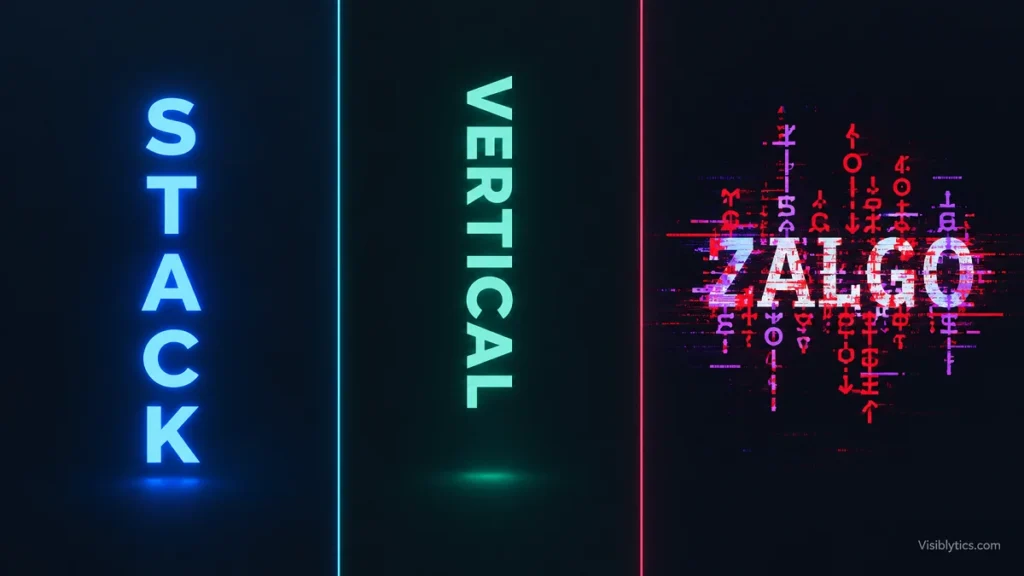
You have probably seen three names used for text that looks unusual: stacked text, vertical text and Zalgo. They are mentioned together in bios, forums and generator pages, and the results look similar enough at a glance to cause confusion. If you copied one of them into a profile or a document and got something that did not match the name, the cause is usually the naming, not your input. The stacked text vs vertical text vs Zalgo question comes down to what each style actually changes: the characters, the layout, or both. This guide explains how each one is built, where it holds up, and where it breaks.
What Is the Difference Between Stacked Text, Vertical Text and Zalgo Text?
Stacked text and Zalgo text both change the characters themselves by attaching Unicode combining marks to each letter. Vertical text changes the layout instead, placing letters in a column rather than a row. Stacked text adds a small, controlled number of marks above each letter, Zalgo adds many marks above, below and through each letter, and vertical text adds no marks at all.
A useful way to hold this in your head is to ask where the effect lives. In stacked and Zalgo text, the effect lives inside the text string. Every mark is a real character that travels with the text when you copy it. In vertical text, the effect lives in how the line is arranged. The letters are ordinary letters, and the arrangement depends on line breaks, rotation or a layout rule in the software that displays them.
That split explains most of the surprises people run into. Two styles behave like decorated text and one behaves like a layout choice, so they fail in different ways and suit different places.
How Does Stacked Text Work?
Stacked text works by following each letter with Unicode combining diacritical marks that draw on top of the letter. Because the marks are placed above the letter only and kept to a moderate number, the base text stays readable while gaining a taller, layered look. It is a decorative style meant for short pieces of text.
Combining marks exist for language. French, German, Vietnamese and many other languages use them to build accented letters, and in normal use a letter carries one or two. A stacked effect layers several above a single base character. Renderers draw combining marks in sequence, so the marks pile up into a visible column above each letter. A stacked text generator automates this: you type or paste text, and the tool adds the marks and gives you a string you can copy.
Since the output is plain Unicode, it pastes into most places that accept Unicode text, including social bios, usernames and captions. The limits are practical ones. Each mark counts toward character limits, some fonts and apps clip the marks if the line height is tight, and the marks sit higher than normal text, which can push lines apart in a bio.
Stacked text tends to appear in short, decorative contexts: a display name, the first line of a bio, a caption heading. For paragraphs or anything a reader needs to scan quickly, it adds visual noise without adding meaning.
Why Do Generators Use the Word “Stacked” for Different Effects?
“Stacked” describes a visual result rather than a technical standard, so each tool applies it to whatever looks piled up. Across generator pages and design forums, I have seen it used for three different things. That is the main reason the stacked text vs vertical text vs Zalgo comparison feels muddy.
The first meaning is the one described above: combining marks piled above each letter. The second is a two-layer effect, where one word appears to sit above another. At least one generator builds this from small combining letters, and notes that it only works for a limited set of letters, with anything else falling back to a different style. The third meaning is letters piled one per line, which is really vertical text under another name.
None of these is wrong, but they produce different output, and the output behaves differently once pasted. A column of letters is line breaks. A tall decorated word is combining marks. A two-layer word depends on which letters have a combining equivalent. Before you paste anything, check the preview in the tool and confirm it matches what you meant by “stacked.”
What Does Vertical Text Mean, and Is It a Text Style at All?
Vertical text is a layout, not a character style. The letters stay the same, and the line runs top to bottom instead of left to right. It comes in three forms: one letter per line, a rotated horizontal line, and true vertical writing modes used for East Asian scripts.
The first form is the one most people mean when they search for it. Typing a line break after every letter produces a column. Many office, design and engraving programs have no built-in option for this, so the workaround shared in help forums is to insert a line break after each character or to place each letter in its own text box. Online vertical text generators automate the same step.
The second form rotates the whole line by 90 degrees. The letters are still side by side, the line is just turned. This usually reads more comfortably than a column of letters, because Latin letters are designed to sit next to each other, and long words stacked one per line read slowly.
The third form is a proper writing mode. On the web, CSS controls it with the writing-mode property, and the text-orientation property decides whether characters from horizontal scripts stay upright. According to MDN Web Docs, text-orientation only has an effect when the writing mode is vertical, and its upright value lays out characters of horizontal scripts in their natural upright position. MDN also lists it as widely available across browsers. This is a layout rule applied by the page, so it is not something you can copy and paste into a social bio.
The practical consequence is simple. A one-letter-per-line result from a generator is multi-line text. It works where multiple lines are accepted, such as a caption or a document, and it often fails in single-line fields such as usernames and headlines.
How Does Zalgo Text Work and Where Did It Come From?
Zalgo text uses the same combining-mark mechanism as stacked text, pushed to an extreme. Instead of one or a few marks, a generator attaches many marks above, below and through every letter, so the marks spill into the lines around the text. The result looks corrupted, which is the intended effect.
The style takes its name from an internet horror meme. According to Wikipedia’s entry on Zalgo text, it was pioneered in 2004 by a Something Awful forum member who made distorted image macros of cartoon characters, and the distorted lettering in those images became known as Zalgo text. The look fit the idea so well that the style outlived the original joke and became a general aesthetic for horror, creepypasta and glitch humor.
A Zalgo text generator draws marks from three pools: marks above the letter, marks below the baseline, and marks through the middle. The number applied to each letter is random, which is why two runs on the same input rarely match. Many generators also offer an intensity control. A lower setting gives something often called cursed text, which keeps the letters readable with effort, while a high setting can make the base letters hard to pick out.
There are costs worth knowing before you use it. Each mark is a separate Unicode character, so a short phrase in heavy Zalgo can use far more of a character limit than it appears to. Some platforms cap how many marks stack on one letter or clip the overflow. The same Wikipedia entry notes that Zalgo text has been used to overwhelm or crash messaging apps, which is one reason platforms apply limits. At moderate intensity, most modern apps display it without trouble.
Stacked Text vs Vertical Text vs Zalgo Side by Side
The three styles differ in what they change, how they are built and how readable they stay. Stacked text and Zalgo share a mechanism and differ in intensity, while vertical text uses a different mechanism altogether. The table below puts the main points in one place.
| Feature | Stacked text | Vertical text | Zalgo text |
|---|---|---|---|
| What changes | The characters | The layout | The characters |
| How it is built | A few combining marks above each letter | Line breaks, rotation or a vertical writing mode | Many combining marks above, below and through each letter |
| Intensity | Controlled | Not applicable | High, often adjustable |
| Readability | Readable | Readable, slower for long words | Partly readable to unreadable |
| Survives copy and paste | Yes, as Unicode text | Line breaks survive in multi-line fields | Yes, as Unicode text |
| Effect on character count | Adds a count for each mark | Adds a count for each line break | Can add many characters per letter |
| Typical use | Short decorative text | Signs, labels, narrow layouts | Horror, memes, glitch effects |
| Main risk | Clipping in tight line heights | Rejected by single-line fields | Limits, clipping and unreadable output |
One row deserves a second look. Vertical text is the only style of the three that leaves the characters untouched, so it carries the least risk of rendering problems. Its limits come from the container, not from the text.
Which Style Stays Readable on Phones, Screen Readers and Search?
Plain text arranged vertically is the safest of the three for reading, while stacked and Zalgo text depend on how the device and app handle combining marks. Both of those styles can look different from one platform to the next, and heavier use leads to more variation.
On phones, the font and the app decide what you see. Combining marks are drawn by the text engine, and a font that lacks good support for them can place marks unevenly or clip them. A bio that looks tidy in one app can look cramped in another, so a quick check on the platform you plan to use is worth the minute it takes.
For assistive technology, styled Unicode text is a weaker choice. Screen readers may not announce heavily marked text in a sensible way, and a name or heading made of stacked or Zalgo characters can be hard to hear or navigate. For search, the same applies. Search engines can index some styled Unicode characters, though they may not treat them the same as standard letters. For anything people need to find or hear, such as a business name, a heading or a contact line, standard characters are the dependable option.
Vertical text has its own readability cost. Even with ordinary letters, reading a long word down a column takes more effort than reading it across a line. Short words, labels and single-word headings work well. Full sentences do not.
How to Choose Between Stacked, Vertical and Zalgo Text
Choose by the job the text has to do. Stacked text suits short decorative text that should stay readable, vertical text suits narrow spaces where a column is needed, and Zalgo suits cases where the glitch effect is the point. When weighing stacked text vs vertical text vs Zalgo for a particular field, the field’s rules often settle it before taste does.
A few common situations show how this plays out:
- A social bio or display name: Stacked text keeps the name readable while adding a decorative touch. Heavy Zalgo can push past character limits and make the name hard to read.
- A sign, label, spine or sidebar: Vertical text is the right type of tool, because the need is a column. For longer words, rotating the whole line is usually easier to read than stacking letters.
- A horror post, meme or character name: Zalgo fits, since the unreadable, corrupted look is the intent. It is better kept to places where readability does not matter.
- A username or a single-line field: Stacked or lightly marked text can work if the platform allows it. One-letter-per-line vertical text usually will not.
- A heading, business name or anything searchable: Standard characters are the safer choice for all three cases.
If you are unsure, start with the lowest intensity and test it where it will actually appear. Moving up in intensity is easy. Cleaning up a name that has stopped fitting or stopped rendering is harder.
Is Zalgo Text the Same as Stacked Text?
No, but they are close relatives. Both rely on Unicode combining marks, and the practical difference is direction and intensity. Stacked text places a controlled number of marks above the letters, while Zalgo places many marks above, below and through them.
Cursed text sits between the two on many generators. It uses marks above and below at a low to moderate level, which keeps the text readable with some effort. If a generator offers all three, viewing them side by side for the same input makes the differences easy to see. The relationship is a spectrum of intensity, and the names mark rough positions along it.
Can You Combine Vertical Text With Stacked or Zalgo Text?
Technically yes, because the two kinds of effect act on different layers. Vertical text arranges lines, and stacked or Zalgo text decorates characters, so you can apply marks first and then break the text into a column. The visual result is where the trouble starts.
Combining marks extend above and below each letter. In a column, the letters sit directly over one another, so the marks from one letter run into the letters next to it. With stacked text at a low level this can look intentional. With Zalgo, the marks usually overlap neighboring letters and lines, and the column becomes hard to read. If you want to try it, keep the intensity low, test in the actual app, and be prepared for line height to clip the marks.
Common Mistakes When Using Stacked, Vertical and Zalgo Text
The most frequent mistakes come from treating the three styles as interchangeable. Each one has a mechanism with its own limits, and most problems trace back to ignoring them.
- Assuming “stacked” means the same thing in every generator. Check the preview first, because the word is used for marks above letters, two-layer words and vertical columns.
- Pasting full-intensity Zalgo into a display name. The marks count as characters, so a short name can exceed a limit and still look cut off.
- Expecting a vertical column to work in a single-line field. Line breaks are usually rejected or collapsed in usernames and headlines.
- Using decorative Unicode for text that must be found or read aloud. Search and assistive tools handle plain characters more reliably.
- Skipping a test on the target platform. Fonts and apps render combining marks differently, so a result that looks right in a generator may not look right in the final place.
Quick Summary of the Stacked Text vs Vertical Text vs Zalgo Difference
Stacked text and Zalgo are character effects built from combining marks, with stacked kept light and above the letters and Zalgo pushed to heavy, spread across all sides. Vertical text is a layout effect that arranges ordinary letters in a column through line breaks, rotation or a vertical writing mode. Knowing which layer an effect lives in tells you where it will work, where it will fail, and which one fits the text in front of you.