You pasted a link into a Facebook ID finder, copied the number it returned, and the tool you were setting up rejected it. Or it accepted the number and quietly connected to the wrong thing. Either way, the number in your clipboard is not the one you needed. In most cases the finder did its job and the number is real. It just identifies a different object than the one you had in mind. A post, a Page, a profile, a group and a business account each carry their own ID, and a single link can contain more than one of them.
Why a Facebook ID finder returns a number that does not work
A Facebook ID finder usually returns a correct number for the wrong object. The most common cause is that the link you pasted pointed at a post, photo, video or group instead of the Page itself, so the number that came back belongs to that content. Less common causes are a Page that carries two valid numbers, a business account ID mistaken for a Page ID, and a long number that was altered while being copied.
Most free lookup tools work from the link you give them. They read the digits that are already sitting in the address and report them. They have no way of knowing whether you wanted the Page behind a post or the post itself, so the result is only as specific as the link.
That is why the same tool can feel accurate on Monday and useless on Tuesday. On Monday you pasted a Page address. On Tuesday you pasted a link copied from the middle of your feed. Here are the five causes I would work through, in this order:
- The pasted link was a post, photo, video, reel or group post, not the Page home address.
- The link used a protected post format that contains no plain numeric post ID.
- The number belongs to a profile, group, business portfolio or ad account, not the Page.
- The Page exposes more than one valid number, and the tool you are feeding expects the other one.
- The number was changed during copy and paste, usually inside a spreadsheet.
Post ID vs Page ID: what each number identifies
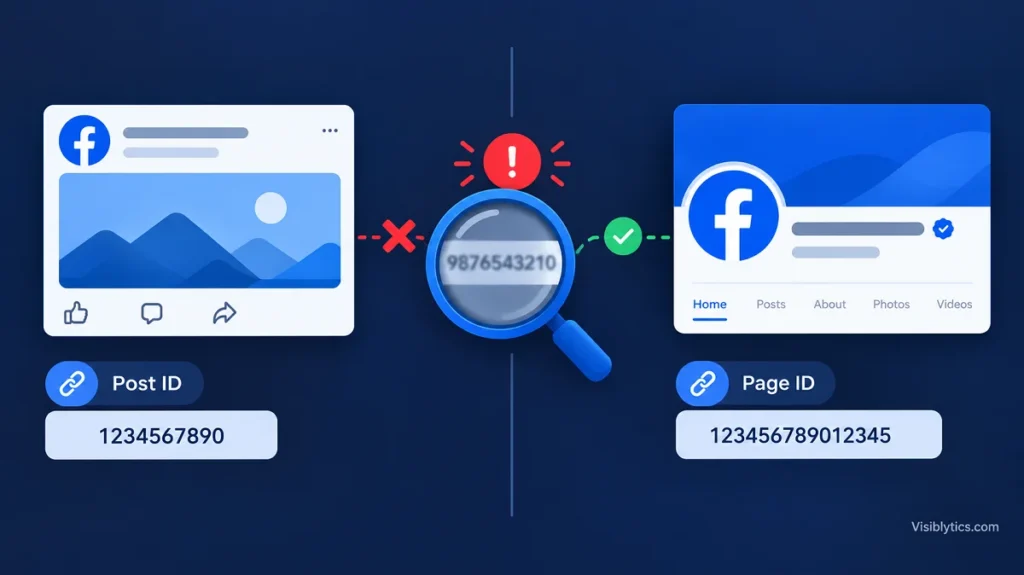
A Page ID identifies the Page as a whole, and a post ID identifies one piece of content published by it. The Page ID stays attached to the Page for as long as it exists. A post ID is created every time something is published, so a single Page has as many post IDs as it has posts.
Meta’s own developer documentation shows how the two relate. In the Graph API reference for the Page feed, Meta lists each post ID as the Page ID, an underscore, and then a second number. The part before the underscore is the Page. The part after it is the post. The Graph API post reference gives a permalink example in the form facebook.com/FacebookforDevelopers/posts/10153449196353553, where the long number at the end is the post and the name in front of it is just a readable label.
This split explains most wrong-number reports. A form that asks for a Page ID wants the first half of that pair. A comment automation, a post-level plugin or an analytics export usually wants the second half. If you hand a post number to a field that expects a Page, or the other way around, the number is valid and the result is still wrong.
How to read the numbers inside a Facebook link
The word that sits in front of a number in the link tells you what the number is. A path such as /posts/ or /videos/ means the number belongs to that piece of content, while a number on a bare profile.php?id= address points to the profile or Page itself. Reading the pattern takes a few seconds and prevents most mistakes.
| Link pattern | Number you will find | What it identifies |
|---|---|---|
| facebook.com/PageName/posts/123456 | 123456 | The post. PageName is a label, not an ID |
| facebook.com/profile.php?id=123456 | 123456 | A profile, or a Page on the newer layout |
| facebook.com/permalink.php?story_fbid=111&id=222 | 111 and 222 | 111 is the post, 222 is the owner of the post |
| facebook.com/groups/123/posts/456 | 123 and 456 | 123 is the group, 456 is the post |
| facebook.com/photo/?fbid=123456 | 123456 | A photo |
| facebook.com/PageName/videos/123456 | 123456 | A video (reels use a similar /reel/ path) |
| facebook.com/pages/Name/123456 | 123456 | A Page, in the older link format |
| facebook.com/events/123456 | 123456 | An event |
Two details in that table cause most of the confusion. The permalink format carries two numbers, and a tool that grabs the wrong one will return the owner when you wanted the post, or the post when you wanted the owner. The group post format also carries two numbers, and the first one is the group, not the post. Whenever a link holds more than one number, decide which one you need before you copy anything.
Why a Facebook post link with pfbid has no readable number
Links that contain a string starting with pfbid do not include the plain numeric post ID, so a number-reading tool has nothing correct to return. Meta introduced these protected identifiers deliberately, and the digits and letters inside them should not be treated as an ID.
In a 2022 post on the Meta newsroom, Meta explained that a protected identifier combines a timestamp with the original Facebook identifier to produce a time-rotating value. The stated goal was to make it harder to guess or collect identifiers in bulk, and Meta described phasing out access to the original identifiers as part of that work. For an everyday user, the practical effect is that many post links copied from the app or the feed now look like facebook.com/PageName/posts/pfbid followed by a long run of characters.
If a lookup tool returns something odd for a link like that, the likely explanation is that it picked up a fragment of the protected string. Do not use that fragment. Page admins can usually see the numeric ID of their own posts inside Meta Business Suite, and developers can retrieve post IDs through the Graph API with the right permissions. For someone else’s post, the plain number may simply not be available to you, and that is by design.
Tracking parameters are a related trap. A link that ends in something like fbclid=abc123 carries a click identifier added when you followed the link. It is not the ID of anything you are looking for, so trim it off before pasting.
How to check whether a number is a post ID or a Page ID
You can confirm what a number identifies in about a minute by checking three things: the link it came from, the page that opens when you visit it, and the Page’s own record of its ID. If all three agree, the number is what you think it is. If they disagree, the link is the first thing to blame.
- Look at the source link. If it contained /posts/, /videos/, /photo, a story_fbid parameter or a groups path, the number came from content, not from the Page. A Page-level link is just the name after facebook.com, or a profile.php?id= address.
- Open the number in a browser. Type facebook.com/ followed by the number. Whatever opens is usually what the number identifies: a Page shows the Page, a post shows a single post, a photo shows a photo. If nothing loads, the content may be private or removed, or one of the digits was changed.
- Compare with the Page’s own record. On the Page, the Page transparency section lists a Page ID, and Meta Business Suite settings show it for Pages you manage. The exact labels and menu positions change from time to time, so look for the field called Page ID rather than for a fixed click path.
- Split composite IDs at the underscore. If the value looks like two numbers joined by an underscore, the first is the Page and the second is the post. Pasting the whole pair into a field that wants only the Page will fail.
- Do not decide by length. Older and newer IDs differ in digit count, and post numbers can be as long as Page numbers. Length alone will not tell you which one you hold.
Developers have one more option. The Graph API Explorer can return the object type for an ID when the request includes the metadata parameter, although what you can see depends on your permissions and the privacy of the object.
Page ID, profile ID, group ID and business ID: the other numbers that get mixed up
Facebook uses several unrelated ID types, and any of them can be mistaken for a Page ID. The ones that cause the most trouble are the profile ID, the group ID, the business portfolio ID and the ad account ID.
- Profile ID. A profile.php?id= link usually belongs to a person. On the newer Pages layout, a Page can also be opened through a profile-style address, and many Pages keep an older classic Page ID as well. If a Page seems to have two valid numbers, that is the likely reason, and the right one depends on what the receiving tool asks for.
- Group ID. The number after /groups/ identifies the group. It is not the ID of any Page connected to it.
- Business portfolio ID. This identifies the business account that holds your Pages, ad accounts and other assets. Guides from agencies that onboard clients point out that it differs from both the Page ID and the ad account ID, and handing one over in place of another is a frequent cause of failed access requests.
- Ad account ID. This identifies the account that pays for ads. It shows up in the address bar of Ads Manager, and it is not a Page.
- Instagram-linked IDs. When an Instagram account is connected to a Page, the Instagram account has its own ID. Mixing it up with the Page number produces mismatches in ad setup.
Before pasting any number into a form, read the label on the field. Fields named Page ID, Business ID, Ad account ID and Post ID are not interchangeable, even though the values look alike.
Copy, paste and spreadsheet mistakes that change a Facebook ID
A correct Facebook ID can still become a wrong one after it is pasted. The biggest culprit is spreadsheet software. Excel and similar programs treat a long run of digits as a number, and Excel keeps only 15 significant digits, so the tail of a 16-digit ID can be rounded to zeros. A number that began as 1641734060655297 can quietly turn into 1641734060655300 or into scientific notation such as 1.64173E+15.
This shows up often when people combine a Page ID and a post ID into the pair format. A discussion on a spreadsheet-tools community forum describes exactly this: the combined values failed until the ID column was imported as text instead of numbers. The fix is simple but has to happen before the paste.
- Format the column as Text before pasting IDs into it.
- When opening a CSV export, import the ID columns as text so the program does not convert them.
- Check for spaces, line breaks and trailing characters that arrive with a copied value.
- Never retype an ID by hand when it can be copied.
- After pasting, compare the first six and last six digits with the original.
What happens when a tool receives a post ID instead of a Page ID
When a tool receives the wrong kind of ID, the result is rarely a clear explanation. You may see an error saying the object does not exist or is not a Page, a plugin that renders blank, or an integration that attaches to something other than what you intended. The behavior depends on the tool, which is why the cause is easy to miss.
A Like or Page plugin pointed at a post number will usually fail to load, because the post is not a Page. A chatbot or comment automation given a Page number where it needed a post number may either reject the value or apply the rule more broadly than planned. Reporting tools that expect a Page can return empty tables when they receive a post. In all of these cases the number itself is valid, so re-running the same lookup will keep returning the same value.
If you see a symptom like this, stop re-testing the tool and go back to the ID. Check what type of number the field wants, check what type of number you pasted, and fix the mismatch first.
How a URL-based Facebook ID finder reads your link
A URL-based lookup tool reads the numbers that are already inside the link you paste, and it does not ask Facebook what those numbers mean. That makes it fast and private, and it also explains its limits. The result can only be as precise as the address you supply.
The Facebook ID finder on this site follows that approach. It takes a profile, Page or group URL, extracts the numeric ID from the pattern in the address, and works without a login. According to its own notes, it does not send requests to Facebook servers while doing this. Two practical consequences follow.
First, a link that holds no number gives it nothing to extract. A Page with a custom name such as facebook.com/mybrand has no numeric ID in the address at all, so a purely URL-based lookup can only identify the username. In that situation the Page transparency section or the page source is the fallback. Second, a link to a post, photo or video holds the number of that content, so the number you get back is the content ID. The tool did not misread anything. The link was simply the wrong starting point.
Step-by-step: how to find the right Page ID when the first result was wrong
To recover the right Page ID, start again from the Page itself and not from any post, photo or video. The Page home address is the cleanest starting point because it contains the least extra information.
- Open the Page in a browser on a computer.
- Click the Page name or profile picture so that you land on the Page home view, not on a single post.
- Copy the address from the browser bar and remove anything after a question mark that is not part of the Page address, such as tracking parameters.
- Paste the clean address into a tool that helps you find a Facebook Page ID and note the number.
- If the address has a custom name and no number, open the Page transparency section, or use Meta Business Suite settings if you manage the Page, and copy the value labeled Page ID.
- Compare the two results when you have both. If they match, that is your Page ID.
- Paste it into the target tool as text and confirm that the Page name displays correctly, if the tool shows one.
That last step is a good habit. Many integrations display the Page name or picture after the ID is accepted. If the name is not the Page you expected, the ID is wrong even though the form accepted it.
Does a Page ID change when the Page name or username changes?
No. Renaming a Page or changing its custom username does not change its Page ID, which is why developers prefer the number over the name. The readable name is a label that can be edited at any time, while the number is the identifier tools store.
There are exceptions that come from structural changes rather than renaming. Merging Pages, recreating a Page, or moving to a different Page entirely can result in a different ID. If an old ID suddenly stops working after a restructure, compare it with the current value in Page transparency before assuming the tool is broken.
Quick checklist before you trust any Facebook ID
Before you put an ID into an ad setup, a plugin, an automation or an API call, run through this short list. It covers the failure points that account for most wrong-number reports, and it works with any lookup tool or manual method.
- Was the link a Page address, or a post, photo, video or group link?
- Did the link contain more than one number, and did you pick the right one?
- Does the link contain pfbid? If so, it has no plain post ID to extract.
- Does the field you are filling ask for a Page ID, a post ID, a business ID or an ad account ID?
- Does facebook.com/ followed by the number open the object you expected?
- Does the number match the Page ID shown in Page transparency or Business Suite?
- Was the number pasted through a spreadsheet, and was the column set to text?
If every answer checks out and the tool still rejects the value, the next place to look is permissions and access on the tool’s side, not the number.