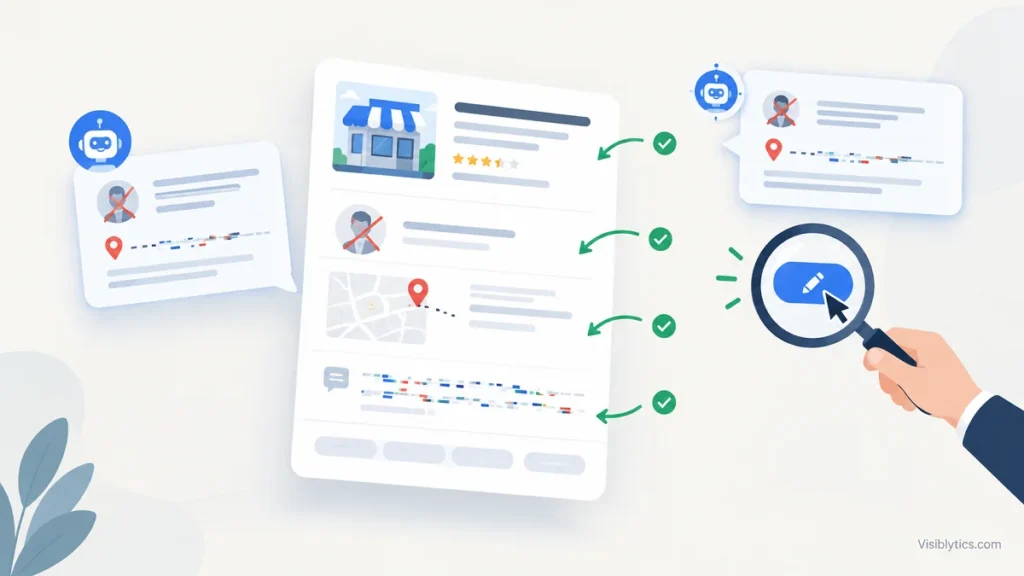
A prospect searches your company name before a sales call. The panel on the right shows a founder who left in 2021, a headquarters address you moved out of, and a description that belongs to a different company with a similar name. Or an AI answer repeats the same errors with full confidence. Your team notices only when a deal stalls, a candidate asks about the wrong office, or an investor’s analyst flags a discrepancy.
The instinct is to click “Suggest an edit” and wait. That works only when the error is a one-off and the surrounding evidence already agrees with the correction. In most cases it does not, because the wrong data is not a typo in one place. It is a conflict across several sources, and Google is reconciling it the way it was built to. This guide explains how that reconciliation works, and gives you a four-step fix you can run with Google Search Console, Screaming Frog and a spreadsheet.
The Cost of Brand Hallucination: Why Search Engines Confuse Your Company
Search engines and answer engines do not store your company as a page. They store it as an entity: a record with attributes such as legal name, founders, headquarters, founding date, category and related organizations. When the attributes they hold are wrong, every surface built on that record inherits the error: the knowledge panel, local results, AI Overviews, and third-party chatbots that retrieve from the same web sources.
The errors we see most often fall into four groups:
- Wrong people. Former founders or executives listed as current, or a founder merged with someone of the same name.
- Wrong place. An old headquarters, a coworking address, or a branch listed as the main office.
- Wrong identity. Your company merged with, or described as, a competitor or unrelated business with a similar name.
- Wrong facts. Incorrect founding year, funding, headcount or product description, usually copied from a stale profile.
The cost is rarely a single event. It shows up as misrouted calls and reviews, lost trust during due diligence, and branded searches that send buyers to someone else’s information. For a deeper look at how these misattributions start, see our breakdown of why Google shows wrong information about your brand. The rest of this article is about repairing them.
How Google Constructs Entity Truth (And Why Conflicting Sources Poison the Knowledge Graph)
Google does not look up a single authoritative answer. It gathers claims about an entity from many sources and trusts the claim that the most reliable sources agree on. That has two consequences.
First, agreement beats assertion. A correct statement on your own site will lose to a wrong statement repeated across five directories, because the five copies look like independent confirmation. Second, errors propagate through copying. A single outdated record at a data aggregator can be scraped by dozens of listing sites, and each copy strengthens the wrong claim.
The practical model is a source hierarchy. When facts conflict, the sources tend to carry weight roughly in this order:
| Source tier | Examples | Why it matters |
|---|---|---|
| Official records | Government business registry, tax and incorporation filings | Hard to dispute, and many other databases derive from them |
| Structured business databases | Dun & Bradstreet, Crunchbase, PitchBook, Bloomberg | Widely copied by downstream sites |
| Platform profiles you control | Google Business Profile, LinkedIn, Apple Business Connect, Bing Places | Direct feeds into search and map products |
| Open knowledge bases | Wikidata, Wikipedia (if notable) | Commonly used as corroboration, but only with citable references |
| First-party site | Homepage, About page, Organization schema | Your declaration, strong when it matches everything above |
| Aggregators and scrapers | Low-quality directories, data brokers | Weak individually, damaging in volume |
The diagnosis from this is useful: find which tier holds the original error, because fixing the copies without fixing the source simply lets the error regenerate.
Step 1: Auditing Your “SameAs” Federation and Digital Footprint
Start with a single document: your entity fact sheet. It lists the one correct value for each attribute: legal name, trading name, former names, founding date, headquarters address, founders and current leadership, one-sentence description, primary URL and official profile URLs. Every later step is checking the web against this sheet.
Then audit your footprint. Search the exact brand name in quotes, then pair it with your city, your founder names and your category. Use Ahrefs or Semrush to export brand mentions, and use Screaming Frog custom extraction to pull the JSON-LD sameAs array from your own pages. You are looking for two kinds of problems: records that disagree with the fact sheet, and profiles that exist but are not linked from your site, so nothing ties them to your entity.
Check these 15 registries first, in this order of priority:
| # | Registry or profile | What to verify |
|---|---|---|
| 1 | Government business registry (Secretary of State, Companies House or equivalent) | Legal name, registered address, officers, status |
| 2 | Dun & Bradstreet | Legal name, address, DUNS record, parent and subsidiary links |
| 3 | Google Business Profile | Address, category, hours, website, description |
| 4 | LinkedIn Company Page | Description, headquarters, founding date, linked leadership |
| 5 | Crunchbase | Founders, funding, headquarters, description |
| 6 | Wikidata | Existence of an item, labels, aliases, statements and references |
| 7 | Wikipedia | Only if notable: accuracy of any article or mention |
| 8 | Bloomberg and PitchBook | Company profile, executives, location |
| 9 | Bing Places | Address and category parity with Google |
| 10 | Apple Business Connect | Address, name and website parity |
| 11 | OpenCorporates | Registry data mirrored correctly |
| 12 | Review platforms (G2, Capterra, Trustpilot or sector equivalent) | Company name, URL, description |
| 13 | Meta (Facebook) page | Name, address, website, category |
| 14 | YouTube and X profiles | Branding, description, link back to your site |
| 15 | Yelp or Better Business Bureau | Address, phone, name collisions with similar businesses |
For each, record the current value, the correct value and who controls the profile. Mark every mismatch. Most audits find five to twelve conflicts, and usually two or three sources account for most of the damage.
Step 2: Deploying Unambiguous JSON-LD Structured Data
Your own site is where you can state the facts without anyone’s permission, but only if you do it in a form that machines read cleanly. Use one Organization entity with a stable @id, link your founders as Person entities, and point sameAs at the exact profiles from your audit.
{
  "@context": "https://schema.org",
  "@graph": [
    {
      "@type": "Organization",
      "@id": "https://www.example.com/#organization",
      "name": "Example Co",
      "legalName": "Example Technologies, Inc.",
      "alternateName": ["Example", "ExampleCo"],
      "url": "https://www.example.com/",
      "foundingDate": "2019-03-01",
      "description": "Example Co builds payments infrastructure for B2B marketplaces.",
      "disambiguatingDescription": "Not affiliated with Example Group Ltd (UK) or Example Labs.",
      "address": {
        "@type": "PostalAddress",
        "streetAddress": "100 Main Street, Suite 400",
        "addressLocality": "Austin",
        "addressRegion": "TX",
        "postalCode": "78701",
        "addressCountry": "US"
      },
      "founder": { "@id": "https://www.example.com/about/jane-doe/#person" },
      "sameAs": [
        "https://www.linkedin.com/company/example-co",
        "https://www.crunchbase.com/organization/example-co",
        "https://www.wikidata.org/wiki/Q00000000",
        "https://opencorporates.com/companies/us_tx/0000000000"
      ]
    },
    {
      "@type": "Person",
      "@id": "https://www.example.com/about/jane-doe/#person",
      "name": "Jane Doe",
      "jobTitle": "Founder and CEO",
      "worksFor": { "@id": "https://www.example.com/#organization" },
      "sameAs": ["https://www.linkedin.com/in/janedoe"]
    }
  ]
}
A few rules keep this from backfiring:
- Mark up only what is visible on the page. The address, founder and description in the schema should match the visible text exactly.
- Use
alternateNamefor former or informal names, anddisambiguatingDescriptionwhere a namesake exists. It is a small, direct signal that you are a separate entity. - Serve it in the initial HTML response, not through client-side injection that may not be processed reliably. Confirm with a view-source check and a Screaming Frog structured data crawl.
- Validate with the Schema Markup Validator, and check for errors in the relevant Search Console enhancement reports.
- Give each founder or executive a dedicated page that carries matching credentials. For a worked example of a founder page that mirrors its schema, see our founder’s profile.
Step 3: Aligning Authoritative External Mentions (Wikidata, Bloomberg, LinkedIn, Gov Registries)
Structured data on your site states your claim. This step makes the rest of the web agree with it. Work from the top of the hierarchy down, because correcting a source that others copy from fixes several downstream records at once.
- Government registry. If the registered address or officer list is outdated, file the amendment. Many other databases pull from this record, so it is the highest-leverage fix on the list.
- Dun & Bradstreet. Update your record through their business update process. A wrong D&B profile feeds into a surprising number of downstream directories.
- LinkedIn and Crunchbase. Claim and edit the profiles you control. Align the description with your fact sheet word for word, and make sure current leadership is linked.
- Bloomberg and PitchBook. These accept company-submitted corrections, typically with supporting documentation. Send the registry filing, not an assertion.
- Wikidata. If an item exists, correct statements and attach references from independent, citable sources such as registry filings or press coverage. If it does not exist and you are not notable, do not create one. Disclose any conflict of interest, avoid edit wars, and use the item’s talk page when a change is contested.
- Aggregators. Once the sources above are correct, request corrections from or suppress the stale copies. Expect this to take a few rounds.
Two cautions. Do not edit a Wikipedia article about your own company directly. Use the talk page, with sources, and let independent editors decide. And do not buy “citation cleanup” packages that blanket-submit your details to hundreds of low-quality directories. They multiply the number of records that can drift.
Step 4: The Official Feedback Channel (How to Submit Documented Corrections That Get Accepted)
Google’s feedback channels work much better after the first three steps, because there is now independent evidence behind your correction. Use the channel that matches the data:
- Knowledge panel. Claim and verify the panel through your Google account, then use the suggest changes option with evidence. Verified owners can suggest changes to many fields.
- Local and map data. Edit your Google Business Profile directly for address, hours, category and name.
- Search Console. Use it to confirm that the pages carrying your structured data are indexed and that Google has recrawled them after changes.
- AI answers. Use the feedback control on the answer itself, and attach the source URL that supports the correct fact.
- Legal and policy issues. Personal information, impersonation and defamation have separate removal routes. Use them only when the content actually qualifies.
What makes a correction accepted is how it is documented. State the attribute, the current wrong value and the correct value in one factual sentence. Link to the authoritative source that supports it, ideally a government registry or a recognized third-party profile, and keep the tone neutral. “Our headquarters is 100 Main Street, Austin, per the registered address on [registry URL]” is far more likely to succeed than “your information is wrong.”
Then wait and verify. Changes can take weeks to propagate. Re-run your audit after two to four weeks, update the log, and resubmit only the items that did not change, with any new evidence.
Preventing Future Drift: Maintaining Continuous Entity Alignment with Entity SEO Services
Entity data decays. Every rebrand, relocation, funding round, leadership change or product renaming creates a new opportunity for sources to disagree. The fix is process, not a one-off cleanup:
- Treat the fact sheet as a controlled document with a named owner.
- Add an entity update checklist to every change event: office move, executive hire or departure, rename, acquisition, new product line.
- Re-run the 15-registry audit quarterly, and after any change event.
- Monitor how answer engines describe you. Run a fixed set of brand and founder prompts each month and log any inaccurate statements. Our AI visibility services cover that monitoring layer if you want it handled alongside entity work.
If the audit turns up more conflicts than your team can resolve, or the error sits with a source you cannot edit, bring in a specialist. The usual market ranges are $1,500 to $3,500 for a one-time entity audit, $2,000 to $6,000 for remediation across structured data and external profiles, and $750 to $2,000 per month for ongoing monitoring and maintenance. Scope varies with how many entities, locations and namesake conflicts are involved, so ask for the registry-level audit before agreeing to a retainer.
If Google or an AI answer is already misrepresenting your company, our entity SEO and brand disambiguation services start with exactly the audit described above: a documented fact sheet, a registry-by-registry conflict log, and a prioritized correction plan, so you know where the error began before anything is changed.