
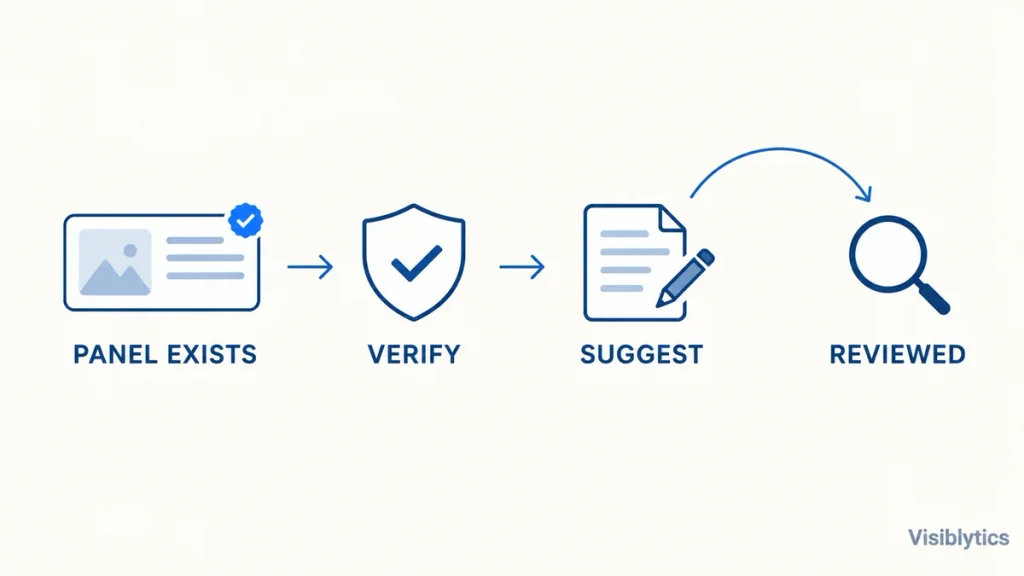
Claiming a knowledge panel means proving to Google that you are the person or organization the panel describes, which then lets you suggest changes to it. It does not give you control of the panel, it does not edit the knowledge graph behind it, and it only becomes possible after a panel already exists. You cannot claim your way into having one.
That distinction matters because claiming is often treated as the fix for a wrong panel. Sometimes it is part of the fix. More often it is the last step, after the real problem has been dealt with at its source.
One caution before the detail. Google changes the claiming flow, the button labels, and the accepted verification methods from time to time, so treat Google’s current help documentation as the authority on the exact steps. This guide explains the logic of claiming and how to use it well, not a screen-by-screen walkthrough that could be out of date next quarter.
What Claiming Gives You and What It Does Not
Claiming gives you the ability to suggest changes to a panel that Google will review. It does not give you the ability to write to the panel directly, and it does not guarantee that any suggestion will be accepted.
| Claiming lets you | Claiming does not let you |
|---|---|
| Be recognized by Google as the verified person or organization behind the panel | Edit panel content directly |
| Suggest changes to information shown in the panel | Guarantee that a suggestion is approved or how long review takes |
| Submit suggestions with supporting sources | Change what third-party sources say about you |
| Return to the panel and submit further suggestions over time | Create a panel where none exists |
| Prevent a panel from changing or disappearing if the underlying signals change |
Google’s own documentation describes what verified owners can and cannot request, and the limits have shifted over time, so check it for the current rules. The pattern that holds up is that a suggestion is a request reviewed against what Google already knows, not a command.
Who Can Claim
A person can claim a panel that represents them, and an organization can have an authorized representative claim a panel that represents the organization. You cannot claim a panel for someone else’s entity, and verification is designed to stop that.
For a person, the question is whether you can prove you are the individual described. For an organization, it is whether you can prove you are authorized to act for it, which usually means demonstrating control over the organization’s official web presence. The exact eligibility rules and accepted proofs are set by Google and change, so confirm them against the current help pages.
If you are not sure which entity a panel represents, resolve that first. A panel can attach to the wrong entity or blend two entities with similar names, and that is a disambiguation problem rather than a claiming problem. The Entity Disambiguation guide covers how it happens.
The Claiming Process
The sequence is consistent even when the interface changes: sign in, find your panel, start the claim, verify your identity, then use the suggestion tool. Verification is the step most people underestimate, and it is covered in depth in the Knowledge Panel Verification guide.
- Choose the Google account carefully. The account you claim with becomes the one associated with managing the panel. Use an account that will outlast any one person’s employment, not a personal account that might disappear or a former colleague’s. This is a small decision that causes large problems later when it is wrong.
- Search for your exact entity name while signed in. Make sure the panel that appears is the correct one. If it shows the wrong entity, stop and deal with that first.
- Find the claim or verification option on the panel. As I understand it, this appears on the panel itself once you are signed in and the panel is eligible to be claimed. The wording and placement have changed over time, so follow what Google currently shows.
- Complete identity verification. As I understand it, Google asks you to prove control of an official online presence tied to the entity, and the accepted options have varied. Have your official profiles accessible and consistent with the panel before you begin.
- Use the suggestion tool for changes. Once verified, you can propose edits to the information in the panel. How to do that well is the subject of the sections below.
If any step does not match what you see, trust the screen over this description.
Before You Suggest Anything: Fix the Source First
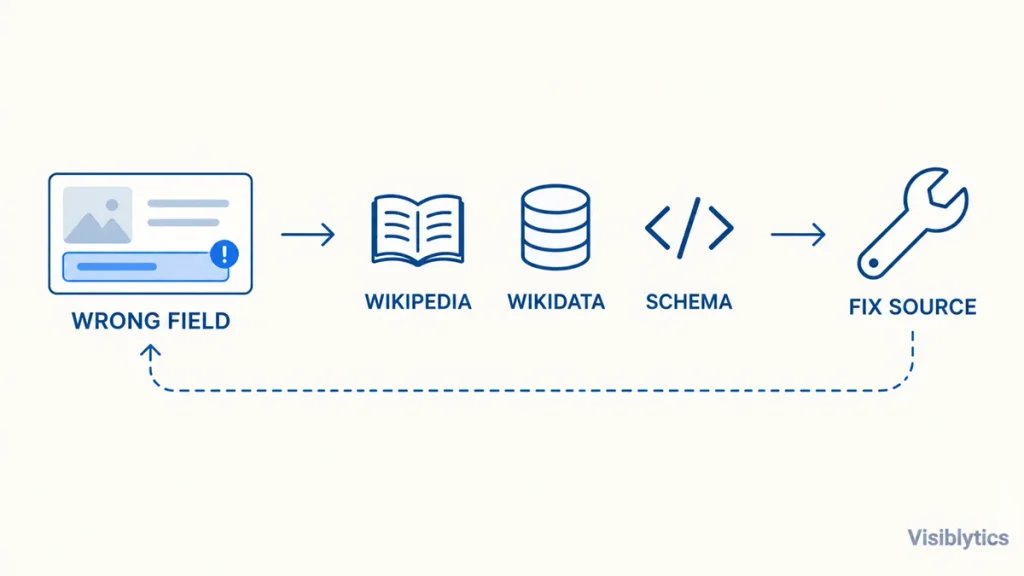
A suggestion to correct a panel is unlikely to hold if the sources feeding that panel still say the wrong thing. The panel is a display of what the knowledge graph currently believes, so the durable fix is at the source, and the suggestion comes afterwards.
I covered the reasoning in the Knowledge Graph vs Knowledge Panel guide and the resolution process in the Entity Reconciliation guide. The practical version is to read the panel line by line and trace each wrong item to where it likely comes from. The sources below are the ones commonly associated with panel content, not a confirmed specification from Google.
| Panel item | Commonly associated sources | Where to fix it |
|---|---|---|
| Description | Wikipedia or Wikidata, your entity homepage, schema | Correct the highest-authority source that states it wrongly |
| Founding date | Schema, Wikidata, press coverage | Make schema and Wikidata agree, then address any press error |
| Founders or key people | Wikidata, schema in both directions, LinkedIn | Fix the relationship on both sides of the connection |
| Website and social links | sameAs in schema, the profiles themselves | Correct schema and make sure each profile links back |
| Location | Schema, Business Profile where applicable, directories | Align them exactly |
Images are the item I can least reliably trace to a source. Use the suggestion flow for those, and keep your official profiles consistent.
The Knowledge Graph Audit guide gives a diagnostic for finding which source is responsible when the panel is wrong and you cannot tell why.
How to Write a Suggestion That Has a Chance
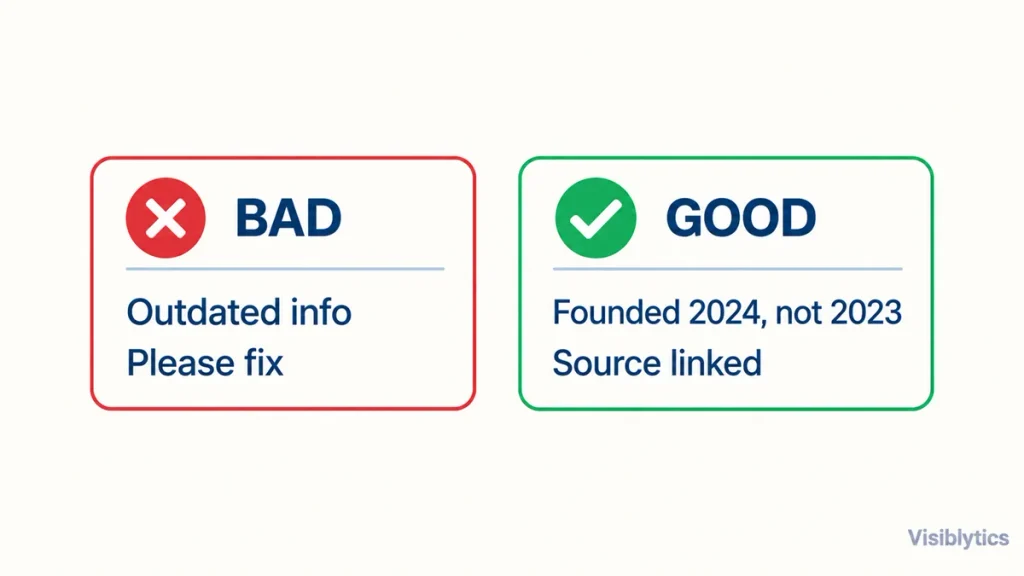
A suggestion works best when it is specific, neutral, supported by a public source, and consistent with what your own entity pages already say. None of this guarantees approval, but each one removes a reason for rejection.
One change per suggestion. Bundling five corrections into one request makes it harder to review and easier to reject entirely.
State the exact correction. “The founding year is 2024, not 2023” is reviewable. “The information about my business is outdated” is not.
Point to a public source that supports it. Your entity homepage helps, but an independent source helps more. If the only evidence is your own site, expect it to carry less weight.
Keep the wording neutral. Promotional language is more likely to be ignored. Describe what the entity is, not how good it is.
Make sure your own pages agree first. If your schema says one thing and your suggestion says another, you have created the conflict you are trying to resolve.
I do not have a verified account of how long review takes or what proportion of suggestions are accepted, and I would not trust anyone who quotes figures.
When a Suggestion Is Ignored or Reverted
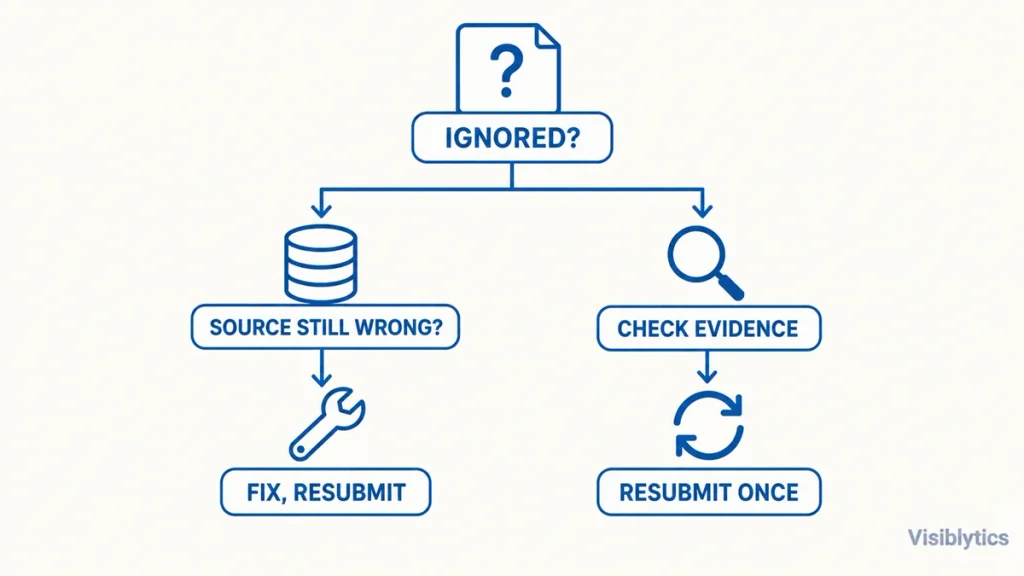
If a suggestion is not applied, or a change appears and then reverts, the most likely cause is that the knowledge graph still holds conflicting signals and the original value won. Look for the cause before resubmitting.
The usual explanations, roughly in order of how often I would expect them:
- A source still says the old thing. Something with high authority, often Wikidata, Wikipedia, or a press article, still carries the incorrect value. Fix it there.
- The suggestion had no supporting evidence. Resubmit with a public source.
- The wording was promotional or vague. Rewrite it as a neutral, specific correction.
- The information comes from a third party you do not control. If a publication or database holds the value, you may need to request a correction from them rather than from Google.
- The panel is correct and your information is not. It is worth checking your own records before assuming Google is wrong.
Once you have fixed the cause, resubmit after a reasonable interval rather than repeatedly. If the panel changes unexpectedly or disappears, the Why Knowledge Panels Disappear guide covers the causes.
Claiming a Panel Is Not the Same as Verifying a Business Profile
Verifying a Google Business Profile and claiming a knowledge panel are separate processes with separate requirements. Business Profile verification is how a local business proves it owns a listing used in Maps and local results. Claiming a knowledge panel is how a person or organization proves it is the entity behind an entity-based panel.
A local business may need to do both, and the two should agree on name and details so they do not conflict. As I noted in the Small Business Knowledge Panel guide, Google’s handling of local panels has changed over time, so confirm the current behavior in its documentation.
After You Claim
Claiming is a starting position, not an outcome. It gives you a channel for corrections, and the quality of what appears in your panel still depends on the strength and consistency of the signals behind it.
Once you can suggest edits, the more valuable question is how to improve what the panel shows over time, which the Knowledge Panel Optimization guide covers. For how panels work and what feeds them, the Knowledge Panel guide covers the full framework.